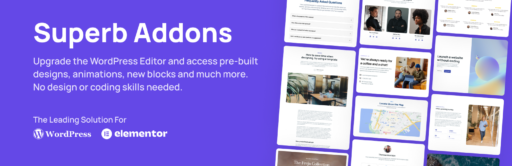
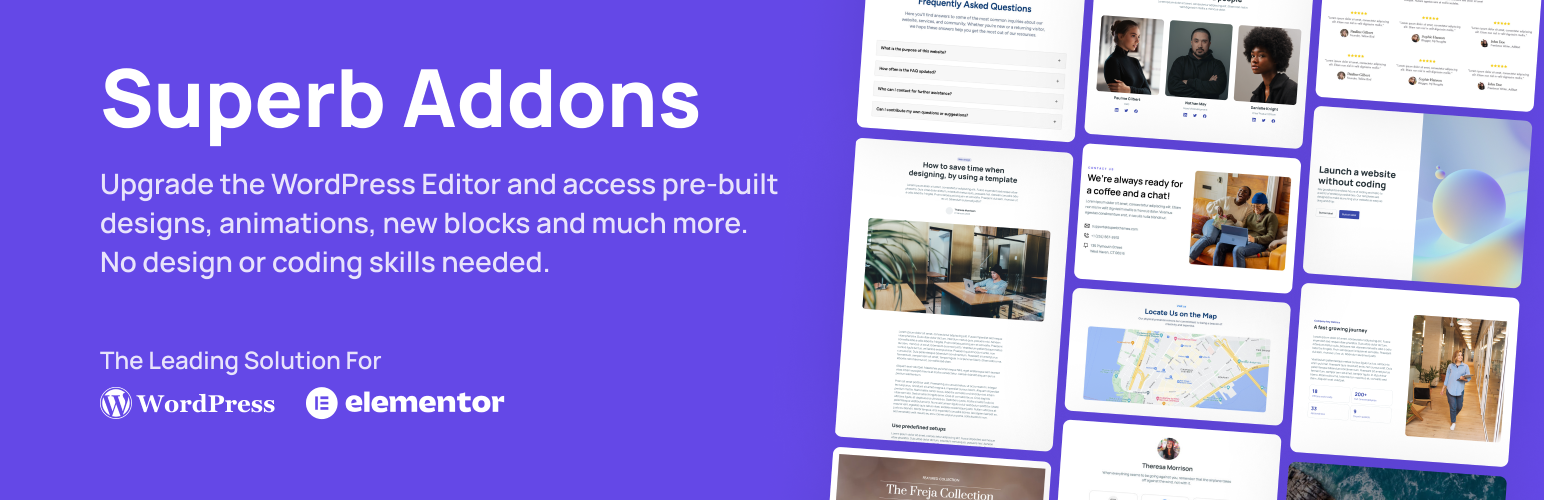
Picture one plugin that upgrades both Gutenberg and Elementor with pro blocks, smooth animations, responsive controls, and a Theme Designer so you can style your whole site without touching CSS. Superb Addons does exactly that – a practical toolkit that replaces five to ten separate plugins for tables of contents, ratings, accordions, maps, reveal buttons, author boxes, and recent posts. You work faster and deal with fewer plugin conflicts.
It isn’t just blocks and patterns you drop in right away. It tightens up WooCommerce design too with product grids and consistent styling in the same suite. The smart part sits under the hood. Conditional loading keeps it lean, so your site isn’t weighed down, and SEO-friendly markup helps search engines understand your pages.
You’ll see features in action and pricing later, so you can decide if this all-in-one setup fits your workflow.
Blocks, patterns, and a Theme Designer in one complete toolkit
Superb Addons gives you a complete design kit right inside WordPress, whether you prefer Gutenberg or Elementor. It’s about building a site that feels clean and consistent from page to page.
You get a strong set of Gutenberg blocks:
- Table of Contents for quick navigation
- Rating and Review blocks to show real feedback
- Accordion sections to keep long pages neat
- Google Maps for location details
- Coupon Reveal Buttons for promotions
- About the Author Box to add personality
- Recent Posts with Images to boost engagement
There’s more than blocks. The patterns library includes ready-made hero sections, feature grids, pricing tables, testimonials, calls-to-action, and FAQs. Drop them in from the native Patterns panel with no extra steps.
Theme Designer pulls headers, footers, typography scales, color palettes, buttons, forms, and spacing presets into one dashboard. Style the site once, and keep it consistent everywhere without bouncing between menus.
Mixing editors on one site? Use Gutenberg in some places and Elementor in others, and keep a unified look. Patterns pick up global colors and typography from Theme Designer the moment you insert them. That harmony saves real time.
Patterns and theme presets support versioning and rollbacks. Agencies get reusable variations that keep client work standardized while leaving room for tweaks.
Superb Addons can be downloaded for free on WordPress.org
Unlock new possibilities in the Gutenberg editor with pro blocks
Superb Addons gives the Gutenberg editor real control where it counts. Tweak margins and padding right on each block instead of digging through panels. Set z-index to stack elements, add borders or shadows for depth, and dial in gradients that stand out. Toggle visibility by device so layouts fit phones, tablets, and desktops without surprises.
Layout tools feel thoughtful. Containers create rows and columns with gap controls that keep spacing tidy. Sticky sections stay visible as people scroll. Fixed positions pin elements in place. Min and max widths keep designs stable across screen sizes. No more squished headlines or stretched images.
Content blocks get sharper. The Review block shows pros and cons next to star ratings and outputs star schema for rich results. Quick Rating drops in simple stars for fast feedback visuals. The Table of Contents is flexible – set heading depth, make it sticky for long pages, and add scroll offset so anchors don’t hide under headers.
Maps are easy to set up with a Google Maps integration and an API key field. Match the map style to your site instead of living with the default look. Lazy loading waits to load the map until it’s near the viewport, which saves weight on initial page load.
Author Boxes fit your design instead of forcing it. Choose avatar shapes, add social links, trim long bios with a Read More, and line up bylines cleanly. This helps a lot on blog index pages with multiple authors.
Recent Posts offers useful filters. Pull from any post type, narrow by categories or tags, set the post count, and lock in consistent image aspect ratios. Subtle hover effects add a light touch that invites clicks without noise.
Make any WordPress theme mobile‑ready with responsive controls
Make your site look right on every screen with mobile responsive controls in Superb Addons. Each block includes separate settings for desktop, tablet, and mobile. Adjust font sizes, margins, padding, and alignment so layouts stay consistent across devices.
Choose where each block shows up without duplicating content in your HTML. Show or hide elements by device to keep pages focused and easy to read. Small screens won’t feel crowded, and desktops won’t miss key information.
When a row gets tight on smaller screens, switch it to stack vertically at a breakpoint you pick. Control column gaps for both horizontal and vertical layouts. Decide how columns wrap when space runs out.
Fluid scaling works with viewport-based units like clamp(), vw, and vh, plus fluid type scales. Headings resize smoothly between screen widths instead of jumping between fixed sizes.
Use preview modes in the editor to jump between common device widths. Catch layout issues before publishing so designs stay solid on phones, tablets, and desktops.
All these responsive settings compile to lightweight CSS, not bulky inline styles. Pages load fast and still look sharp everywhere.
How to add animations and custom styling without code
Animations on a WordPress site don’t need code or a slow page. With Superb Addons, you add motion to blocks fast and keep everything smooth.
Pick from presets like fade, slide, zoom, flip, or reveal on scroll. Tweak duration, delay, and easing with simple sliders to match the feel of the page. Picture a product grid where cards pop in as people scroll – it grabs attention without being overwhelming.
Scroll triggers give control over when effects run. Fire once as elements appear, or run again if someone scrolls back. For lists and card layouts, stagger child items so each element appears with a steady rhythm.
Hover states matter. Buttons and cards react with small background shifts, border highlights, or shadow changes that encourage clicks through quick micro-interactions.
Want more styling options beyond presets? Use the custom CSS panel. Add scoped styles at the block or page level. Inputs get sanitized, and styles are delivered in separate stylesheets for solid caching – no inline clutter.
Performance stays tight. Animations lean on CSS transforms and opacity to keep frame rates high, even on phones. Accessibility is respected too. If a device sets prefers-reduced-motion, Superb Addons dials effects down or turns them off to keep visitors comfortable.
Design your theme, import pages, and style WooCommerce faster
Set the look of your entire site from one place with Superb Addons’ Theme Designer. Pick global colors – primary, secondary, accent – and set roles like success and warning. Those choices apply across blocks and patterns, so buttons, alerts, and highlights match your style without extra work.
Fonts are simple to dial in. Choose heading and body pairs, then adjust line height and letter spacing while you preview changes live. No guessing. If text feels tight or airy, fix it on the spot and get a clean reading rhythm.
Build headers and footers with drag-and-drop layouts. Drop in logos, menus, search, and call-to-action buttons where they make sense. Add sticky headers to keep key links on screen as visitors scroll. Use transparent headers for a sleek overlay that blends with hero sections or backgrounds.
Speed up launches with pre-built pages – home, about, services, blog, and landing pages – already aligned to Theme Designer style tokens. Import a template and it inherits your brand colors and typography right away. No recoloring, no rework, just a consistent look across the site.
Running a WooCommerce shop? Product grids switch to styled cards with clear sale badges. Prices and ratings match your design, and checkout forms get subtle visual polish that makes buying feel smooth.
Working across multiple sites or client projects is faster with export and import kits. Package Theme Designer settings with selected patterns, move them to the next site, and keep a consistent base while still leaving room for custom tweaks.
Editor compatibility, Elementor sections, and SEO‑first performance
You get clean results whether you work in Gutenberg or Elementor. Mix them as needed without the site feeling mismatched. Key sections – hero banners, feature lists, testimonials, pricing tables, and calls-to-action – match across both editors. Your team can build parts in Elementor while others stay in Gutenberg, and the look stays consistent.
Running WooCommerce? The addon styles shop pages, product archives, and product layouts with patterns that fit your theme. No template edits or code. The store looks polished with little fuss.
Sticking with the Classic Editor or some widgets? Selected blocks still work through block widgets or shortcodes. That keeps older setups usable while you upgrade the design piece by piece.
Under the hood, assets load only when needed. No dumping all CSS and JavaScript on every page. Each page gets only the files it uses. Files get minified and combined where it helps, so pages open fast.
SEO gets attention where it matters. Review and Rating blocks output structured data for rich snippets. Table of Contents anchors improve navigation on long pages and strengthen internal links.
Performance holds up, too. Maps and images use lazy loading, so they don’t slow the first paint. CSS animations keep interactions snappy without wasting device resources. Fixed image ratios cut layout shifts as pages load, which helps Core Web Vitals.
Superb Addons free vs premium and real‑world use cases to try
Skip the plugin pile-up and use one package that keeps your site fast and avoids conflicts. Superb Addons pulls blocks, animations, patterns, and WooCommerce tweaks into one place, so you spend less time on updates and more time creating.
- Free tier essentials: Core blocks like Table of Contents, Accordion, Author Box, Google Maps, Recent Posts with Images, plus basic animation effects for subtle motion.
- Premium perks: Theme Designer for global styling, a full patterns library with ready-made sections, advanced Review and Rating blocks with schema, WooCommerce product grids and checkout styles, and export/import kits for agencies.
- Licensing flexibility: Works for solo sites or large portfolios. One license can replace 4 to 6 premium tools such as TOC plugins, review widgets, pattern packs, and animation add-ons.
- Cost savings example: Paying $29 to $79 per plugin every year adds up. Swapping to Superb Addons cuts yearly costs by 40 to 70%, depending on how many extras you run now.
Fewer plugins also means easier maintenance. When WordPress or Elementor ship big updates, you’re not chasing fixes across vendors or dealing with surprise conflicts.
Test it on a staging site first. Install the free version, import a starter page, then set brand colors and typography with Theme Designer if you upgrade. Pages should load faster, and building feels quicker than your current setup.
Cut costs, speed up work, and reduce plugin clutter. Superb Addons is worth a try today.