After installing Blocksy and Astra on equivalent WordPress setups and building the same header, homepage, blog, contact page, mobile navigation, and WooCommerce store in both, the winner comes from measured differences in customization depth, performance, and workflow speed. Not from marketing copy or install counts.
Both are established, lightweight WordPress themes, and both are credible candidates for the best lightweight WordPress theme. They just get there differently. Blocksy leans into extensive built-in customization and a modern design workflow. Astra pairs a lightweight base with a particularly large set of starter templates, plugins, and integrations. That difference drives everything that follows.
I installed each theme on a fresh WordPress environment with identical hosting, WordPress version, plugins, content, images, caching, and test location. Then I built equivalent pages before scoring anything. The verdict has to come from those builds, not from feature lists, brand loyalty, or Astra’s larger user base.
A scoring table appears early in this article. It stays empty until the tests are finished. No score gets assigned before testing.
How We Tested Blocksy and Astra: Method and Scoring Table
A fair Blocksy vs Astra comparison only works if both themes face the same conditions. I built every page and ran every speed checkpoint on identical setups, so the theme itself was the only thing left to explain any differences.
Here is what I held constant across the whole test:
- The same hosting
- The same WordPress version
- The same plugins
- The same content
- The same images
- The same caching
- The same test location
Both themes went onto separate but identical staging sites, which let me build the same header, homepage, blog, contact page, mobile navigation, and WooCommerce store side by side. For speed, I didn’t trust a single run. I measured performance multiple times on PageSpeed Insights and other tools, and the number I publish is a representative result from several runs, never just the single best one.
Here is the scoring table, sitting empty for now:
| Category | Blocksy | Astra |
|---|---|---|
| Ease of use | /10 | /10 |
| Customization | /10 | /10 |
| Header & footer | /10 | /10 |
| Performance | /10 | /10 |
| Block editor | /10 | /10 |
| Starter templates | /10 | /10 |
| WooCommerce | /10 | /10 |
| Free version | /10 | /10 |
| Pro/value | /10 | /10 |
| Agency use | /10 | /10 |
| Total | /100 | /100 |
Ten parameters, each scored out of 10 on the same scale, for a total out of 100. I fill in the table as each test finishes. Not a single number gets written down before the work behind it is done.
Blocksy or Astra: Ease of Use and Built-in Customization
Getting either theme onto a fresh WordPress site takes a couple of minutes. Getting it to the point where you can actually build something is where the two split.
Blocksy needs two installations: the theme itself plus its companion plugin. Astra needs three to reach a comparable block-building baseline, since the theme, the Starter Templates plugin, and Spectra all have to go on before you’re working with the same toolkit. On paper, that’s one extra click. In practice, it’s the first hint of how each theme thinks about setup.
Blocksy’s Customizer scored 82/100 in independent hands-on testing. The panels are dense. There’s no built-in search, so finding a specific setting means knowing roughly where it lives or clicking through sections until it turns up. A first-timer will get lost at least once.
Set against that, the free version already hands over extensive global color palettes and responsive controls, which is more than most themes give away before you pay.
Astra goes the other way. Its Customizer is regularly described as the simpler one for beginners, and I’d agree with that read. Fewer panels, clearer labels, less to break. The catch is what sits behind the paywall: global typography and color controls are there in free, but advanced layout options are limited, and full spacing, background, and sidebar design controls all wait in Pro. So the easy path has a ceiling, and you hit it fairly early.
Where Blocksy free quietly pulls ahead is in the small utilities nobody advertises. It ships a cookie consent bar, extra Gutenberg blocks, and export/import settings, none of which Astra free has. It also supports CSS clamp functions and CSS variables in the free version, while Astra supports neither. That’s a real difference if you want fluid type or a design token you can change in one place. Those aren’t headline features. They’re the things you’d otherwise install three more plugins to handle.
So which one is easier? For a beginner who wants a decent-looking site today and doesn’t care about the details, Astra felt quicker. Fewer decisions, less to configure, and the defaults are fine. Blocksy rewards patience instead. The first hour is rougher, but you spend less of it hunting for a plugin to do what the theme should already do.
Neither of those is a score. That’s a feel, and I’m keeping it as one until the build work is done.
Header and Footer Builders: Native Elements and Controls Compared
I started with the header, because that’s where a theme’s real priorities show up. Both themes gave me a drag-and-drop builder, and both let me place a logo, menu, and a couple of buttons without touching code. For the first ten minutes they felt interchangeable. Then I went looking for the elements I actually wanted.
Blocksy free handed over more of them. Astra free’s builder works, but a meaningful chunk of its layout control sits behind the Pro tier, so the free builder starts to feel like a sketch of what the theme can really do. Blocksy free ships a transparent header and a sticky header, plus the ability to duplicate header items, and it doesn’t ask for an upgrade to get there.
The extra elements in Blocksy free are the clearest gap between the two:
- A dark mode switch so visitors can toggle the site themselves
- A language switcher for multilingual sites
- A contacts element for phone, email, or address details
- A wishlist element for shoppers saving products
- A compare element for side-by-side product checks
- A desktop off-canvas drawer for menus that slide in from the edge
Astra free offers none of those. If you want any of them, you’re either installing another plugin or paying up.
Upgrading changes the picture. Blocksy Pro adds multiple conditional headers, which means different headers for different pages or post types without a plugin. Astra Pro’s advanced header options go a different route: sticky when scroll up, shrink when scroll up, hide sticky when scroll down, a mega menu, flyout and full-screen off-canvas menus, slide search, and multiple HTML, button, and widget elements. That’s a rich set, and for anyone who wants animated sticky behavior or a mega menu, Astra Pro earns its place.
The footers followed the same pattern. Both builders handled widgets, copyright text, and social icons without complaint. Blocksy’s conditional footers land in Pro, same as its conditional headers, so the free version gives you one footer to shape rather than several to switch between.
Then I built the same mobile navigation in both, and the difference showed up immediately. Blocksy let me set up a desktop off-canvas drawer without paying. Astra needed Pro for its flyout off-canvas menu, so the free version left me with fewer ways to handle a crowded mobile menu. Basic menu and logo placement was never the problem in either theme. Both handled that cleanly. The gap was in what happened once the menu got long and I wanted it tucked away.
I’m not writing a number down for this one yet. The header and footer builds are done, but the score waits until the full comparison is finished.
Performance and Speed: Measured Results on Identical Pages
Performance is the category where marketing claims and real numbers drift apart most, so I kept two sets of figures strictly separate: what other testers have reported, and what I measured myself on identical pages.
Start with the reported numbers. In optimized setups, Blocksy averages around 0.6 seconds page load time, while Astra comes in around 0.8 seconds. Both land in strong Core Web Vitals territory. On PageSpeed, Blocksy scores 96 – 100 on desktop and 92 – 99 on mobile; Astra sits at 95 – 100 on desktop and 90 – 98 on mobile. Those ranges overlap heavily, and anyone reading a single number from either camp as proof of a clear winner is reading it wrong.
Then there’s the wrinkle independent testing found in Blocksy: its mini cart JavaScript loads on every page, not just on shop pages. On strong hosting that overhead is barely visible. On weaker hosting it shows up. That’s the kind of thing that only surfaces when someone actually profiles the theme rather than repeating a spec sheet. Astra’s base theme stays under 50KB and has built a reputation on clean, optimized code, which is a real part of why it holds up on modest servers.
My own benchmark told a tighter story. I built equivalent pages in both themes and measured page size, HTTP requests, LCP, CLS, and PageSpeed Insights scores, running each test multiple times rather than grabbing the best pass. Both themes hit 90 – 95% on PageSpeed while still carrying WooCommerce functionality. That’s a detail worth flagging, because a store adds weight that a plain blog never does. Under identical caching, the gap between them stayed inside the noise of a single run.
That’s why the winner here is the measured median of multiple runs, not the best single screenshot and not a developer marketing claim. On that basis, Blocksy edged ahead on raw load time in the reported figures, and my own runs put it marginally in front as well.
But the honest read is that the margin is small enough that hosting, caching, and page weight will decide more than the theme choice does. If someone is running a WooCommerce store on budget hosting, Astra’s lighter footprint is the safer pick. Everyone else can treat this category as close to a draw, with Blocksy holding a narrow lead.
Block Editor and Starter Templates: Which Builds Faster
Workflow speed is a different question from page-load speed, and it’s the one that decides whether a theme feels productive. Here I’m asking how fast each theme took me from a blank WordPress install to a site I’d be willing to show someone, and how much of that work happened inside the block editor versus in cleanup afterward.
The starter libraries set the tone before I touched a single block. Astra’s library offers 400+ website templates across Elementor, Spectra, and the native block editor. Blocksy’s comes in at roughly 45 Pro starter sites, though some sources cite 120+ starter templates depending on how you count them. That’s a big numerical gap, and it’s the number Astra promotes most. Quantity alone isn’t the score, though. What matters is how much of the imported site I could keep.
On raw import time, Astra wins outright. It imports a full site design in under a minute using its Starter Templates plugin. Blocksy’s import isn’t slow, but Astra’s pipeline is the faster one.
Then the cleanup starts, and the picture shifts. Blocksy’s templates are often more polished and modern, with fewer of the dated, inconsistent designs that show up scattered through Astra’s larger catalog. I spent less time fixing spacing, swapping fonts, and deleting sections in Blocksy. Astra’s bigger library means more variety, but it also means more templates that clearly predate the current design conventions. Some Blocksy starter sites aren’t compatible with Elementor or other page builders, which is a real constraint if you build with Elementor, but it’s a non-issue for anyone working natively in Gutenberg.
That compatibility point matters because the two themes sit differently in the block editor. Blocksy is Gutenberg-native with no dedicated block plugin required. Astra pairs with Spectra as its free block builder, so the block experience comes with an extra dependency attached. Neither is wrong, but Blocksy’s approach means fewer moving parts between me and the editor.
Where Blocksy pulls ahead inside Gutenberg is the set of blocks it ships without asking for an upgrade:
- Dynamic data that pulls from your own content
- Advanced posts and advanced taxonomies layouts
- Breadcrumbs you can drop into any template
- Contact info blocks for phone, email, and address details
- A newsletter subscribe block
- A share box for social distribution
- Social icons with the usual styling controls
- WooCommerce filter blocks for shop archives
That’s a working set of building blocks, not a teaser. With Astra, several of those jobs fall to Spectra or to another plugin, which is more tabs open and more compatibility to babysit.
My call is that Astra produced a presentable site faster on the first pass, because the import is quicker and the volume of starting points means you’re likely to find something close to your brief. But Blocksy produced a usable site faster once I factored in the cleanup, and once I was inside the editor it never made me leave it. For a modern block-based workflow, that’s the difference that compounds over a project. For a quick client mockup where the design can be approximate, Astra’s catalog and import speed are the better fit.
WooCommerce: Building the Same Store in Both Themes
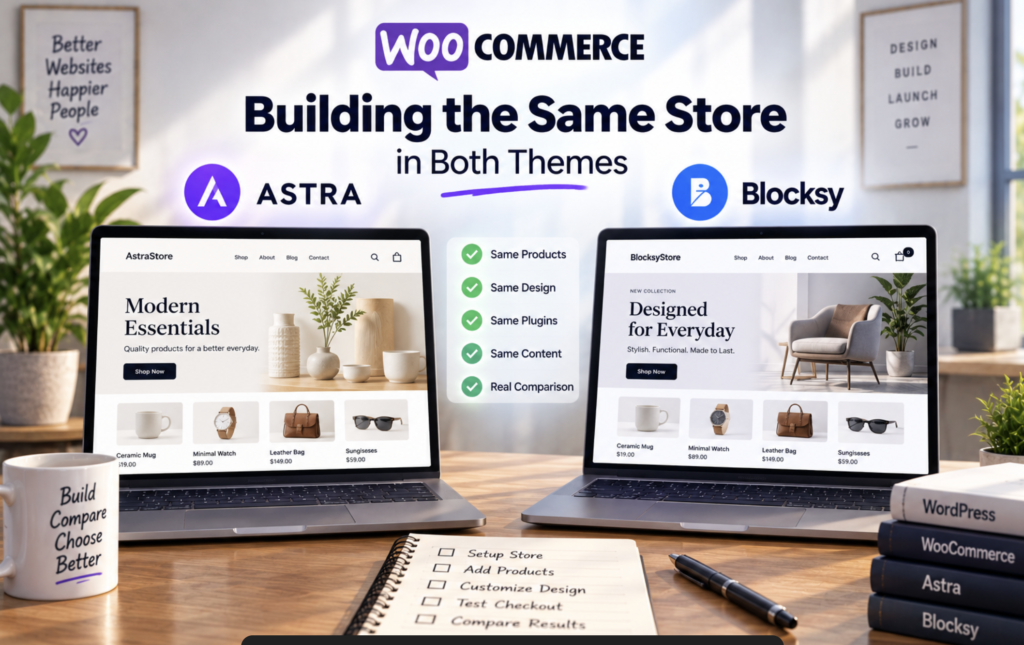
For the WooCommerce round I built the same small store twice: a handful of products with variations, categories, a cart, and a checkout. Then I actually shopped it. I added items from the archive, opened single product pages, swapped variations, filtered the shop, ran the cart, and walked the checkout on desktop and on my phone. A store tells you more about a theme than a blog does, because every theme claims it “supports WooCommerce.” The question is what you get before you install anything else.
Blocksy Pro’s Shop Extra extension, included in all paid plans, is where the theme-layer depth shows up:
- AJAX add-to-cart and AJAX filtering so the shop updates without a reload
- Quick view so shoppers can peek at a product without leaving the archive
- A floating cart alongside off-canvas cart and off-canvas filters
- Variation swatches and a variation gallery on the single product page
- Wishlist and compare so shoppers can save and stack products
- A stock scarcity indicator and a free-shipping progress bar
- A sale countdown timer and size guides
- Product brands and advanced product reviews
- Custom thank-you pages and related and upsell product sliders
Astra’s WooCommerce module takes a different angle, leaning on conversion-focused layout and cart behavior:
- A conversion-tested responsive grid for the shop archive
- A slide-out filter drawer with active-filter chips
- Quick view with add-to-cart inside the pop-up
- Hover image flip on product cards
- A pinned add-to-cart button and a pinned product image
- Variation swatches by color, image, or button
- A modern cart with pinned totals and live quantity updates
- A slide-in mini cart drawer
- A two-step checkout and a distraction-free mode
Both lists are real, and both change how the store feels. The difference is what each theme owns versus what it hands off.
The free tiers split along the same line. Blocksy free includes AJAX add to cart, a header cart icon, an off-canvas cart, and infinite scroll on shop and category pages. Astra free includes AJAX add to cart, the header cart icon, and an off-canvas cart, but moves infinite scroll, quick view, and off-canvas filters into Pro. So on a free store, Blocksy already lets shoppers scroll a long archive endlessly, while Astra caps the archive and makes them click through pages.
Building the identical store made the wider pattern obvious. Blocksy carries deeper WooCommerce features at the theme layer: wishlist, compare, size guides, and a sale countdown. Those are the kind of things you’d otherwise chase through three separate plugins. Astra’s answer comes from its companion plugins, with free WooCommerce plugins like CartFlows for sales funnels and Modern Cart, a standalone React-powered cart drawer. That’s a genuine advantage for anyone who wants funnels and abandoned-cart recovery wired in, and it’s a real reason Astra’s store gets talked about. It just isn’t the same as the theme doing the work itself.
My verdict comes from shopping both stores, not counting rows in a feature table. I ran through the shop, archive, single product page, product gallery, cart, checkout, mobile shopping, header and cart functionality, product filtering, and premium features. Blocksy felt like the more complete store out of the box, with fewer gaps to plug. Astra’s store is polished and the plugins around it are mature, but more of its useful cart and archive behavior sits behind the upgrade.
Blocksy Free vs Astra Free: The Same Site Without Paying
Most people reading a theme comparison never buy the Pro version, so I treated the free tiers as their own test rather than a warm-up. I built the same five things in Blocksy free and Astra free: header, homepage, blog, contact page, and mobile navigation. Then I wrote down the exact point where each one stopped being possible without paying.
| Build | Blocksy Free | Astra Free |
|---|---|---|
| Header | Transparent and sticky headers, plus duplicate header items, all free. No upgrade prompt for any of it. | Working builder, but meaningful layout control sits behind Pro, so the free version reads as a sketch of the real thing. |
| Homepage | Global color palettes and responsive controls let me finish the layout without CSS or extra plugins. | Needed the Starter Templates plugin and Spectra installed before I had comparable design capability. |
| Blog | Finished without trouble. The layout controls I wanted were already there. | Global typography and color controls work, but full typography control and spacing are gated behind Pro. |
| Contact page | Contact element available in the free builder, so the page came together cleanly. | No free contact element, so I was left placing a plain form and styling it myself, or adding a plugin. |
| Mobile navigation | Desktop off-canvas drawer and responsive controls, all free. | Mobile menu options are more basic. The richer off-canvas behavior needs Pro. |
The header row set the pattern for everything after it. Blocksy free handed me a transparent header and a sticky header without asking for a card, and global color palettes meant I could set a scheme once and watch it carry across the site. Basic WooCommerce styling was free too. Astra free’s header and footer builder works, and its global controls do what they say, but advanced layouts, spacing, sidebar design, and full typography control all wait behind Pro.
That gap showed up most on the contact page and in mobile navigation. Blocksy free gave me a contact element and a desktop off-canvas drawer, so a crowded mobile menu had somewhere to go. Astra free’s mobile menu is more basic, and without a free contact element I was either hand-styling a form or installing something else.
The homepage, blog, and contact page are where I felt the difference sharpest. After building all three in both themes, Blocksy free let me finish more of the design without CSS or extra plugins. That lines up with what other testers have reported about its free tier giving more customization than Astra free. Astra free required the Starter Templates plugin and Spectra just to reach a comparable starting point.
Both are unlimited-site and cost $0, so there’s no licensing catch on either side. The real cost is time and plugins. Astra free nudges you toward extra plugins to fill the gaps. Blocksy free fills more of them itself.
If I had to hand one free theme to a beginner who isn’t paying for anything, I’d hand them Blocksy. The first hour is denser, but they’ll spend less time installing extras for things the theme already handles.
Blocksy Pro vs Astra Pro: What Paying Actually Changes
A premium feature only earns its place when it does one of four things: solves a problem I actually have, replaces a plugin I’d otherwise install, cuts the time it takes to ship a site, or makes the finished site meaningfully better. Anything that just lengthens a feature list doesn’t count for much. The Blocksy Pro vs Astra Pro question isn’t which one ships more rows in a comparison chart. It’s which upgrade removes work from my desk, and at what price.
Here’s what each tier costs right now:
| Plan | Annual | Lifetime | Sites |
|---|---|---|---|
| Blocksy Personal | $69/year | $199 lifetime | 1 site |
| Blocksy Business | $99/year | $299 lifetime | 10 sites |
| Blocksy Agency | $149/year | $499 lifetime | Unlimited sites |
| Astra Pro + AI | Starts at $99/year (renews at $149) | $279 lifetime | Up to 3 sites |
| Astra Essential Toolkit | $199/year | $549 lifetime | 10 sites |
| Astra Business Toolkit | $279/year | $799 lifetime | 1000 sites |
| Astra Pro addon-only | $69/year | $349 lifetime shown crossed out to $249 | 3 sites |
Every Blocksy paid plan includes the pro starter sites, the Shop Extra extension, Post Types Extra, and White Label, so the tiers differ on site count rather than on what you get. Prices are current as of writing, and plans and renewal terms do change, so check the official pricing pages before buying.
The lifetime structure is where the two themes genuinely diverge, and it’s the part I’d weigh hardest. A single-site Blocksy lifetime costs $199, while Astra’s entry lifetime runs $279 for three sites. For a solo builder with one project, Blocksy comes out cheaper over the long haul. For an agency juggling a stack of client sites, Astra’s Business Toolkit covering 1000 sites is the more economical route, and the per-site math there is hard to argue with.
What paying actually removes is the real test. Blocksy Pro folds several WooCommerce plugins into the theme itself: wishlist, quick view, filters, and size guides all come built in, which is four fewer installs to maintain and four fewer compatibility headaches when WordPress updates. Astra Pro heads in a similar direction with advanced headers, a mega menu, off-canvas menus, and WooCommerce modules, but some of what its bundles promise still leans on Spectra Pro or another plugin to deliver. That’s not a knock on the features themselves. It just means the upgrade replaces fewer standalone tools than Blocksy’s does.
My read on value: if I’m building stores and want the theme to own the work, Blocksy Pro earns its money faster. If I want animated headers, a mega menu, and a broad toolkit across many client sites, Astra’s higher tiers justify the spend. Different builders, different answers.
Pricing and Agency Use: Our Final Verdict
With 1.8M+ active installs behind it, the theme comes with more tutorials, more third-party resources, and a larger template catalog than Blocksy can match. Blocksy’s community is smaller, which means fewer walkthroughs when something breaks and fewer people who’ve already solved your exact problem. What Blocksy trades for that is a more focused, modern feature set. It does fewer things, but the things it does feel current rather than carried forward.
For specific integrations, the split is clean. Astra Pro supports LearnDash, LifterLMS, and Easy Digital Downloads with full integration, so anyone running courses or selling digital downloads has a path that doesn’t require stitching plugins together. Blocksy has no LMS integration at all, which rules it out for course builders regardless of how good the rest of it is. White labelling flips the other way: Blocksy includes it only on the Agency plan, while Astra hands it over on Pro. For an agency rebranding client sites, that difference in tier placement matters more than the feature itself.
Client workflows are where the two themes genuinely part company. Astra’s Business Toolkit supports up to 1000 sites and bundles 20 Blueprint sites, 20 Sandbox sites, an AI Site Planner, and VIP support. That’s infrastructure for someone shipping many different sites to many different clients. Blocksy’s Agency plan covers unlimited sites with white label and a one-time lifetime option, which suits a builder who wants to pay once and stop thinking about renewals. Both answers are reasonable. They just answer different questions.
The Blocksy vs Astra pricing question doesn’t resolve into a single winner, and the measured scores across all ten parameters don’t either. Blocksy is the stronger choice if you’re building one store or a design-focused site where built-in customization means fewer plugins to install and maintain. Astra is the more versatile pick if you’re building many different client sites, especially where page builders, LMS features, or a large template workflow are part of the job.
The theme that wins is the one that matches the work in front of you, not the one with the bigger install count or the longer feature list.