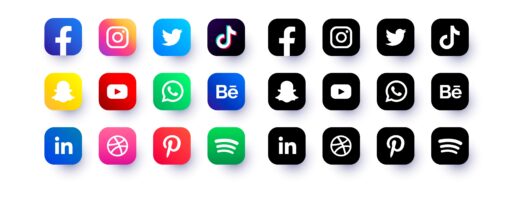
Scrolling through WordPress social media plugins gets overwhelming fast. Too many choices, slower pages, clunky layouts. Publishers end up annoyed instead of getting results. The real job is simple: pick a plugin that won’t flood a site with heavy scripts or extra requests, and still covers Facebook, X/Twitter, LinkedIn, Pinterest, WhatsApp, and Reddit.
Speed matters for shares and followers, and it ties straight to Core Web Vitals like LCP and CLS. Setup needs to stay under 10 minutes with lean CSS and JavaScript. It should work in both Gutenberg and the classic editor. Flexible placement helps it fit real publishing workflows without extra fuss.
Superb Social Media Share Buttons and Follow Buttons stands out as the top pick for WordPress in 2025. The code stays light, pages stay fast, and the default designs look clean without confusing non-technical users during setup. This article compares it with AddToAny Share Buttons and Social Media Share Buttons & Social Sharing Icons later on. The focus stays on practical differences so readers can choose what fits their sites.
Shareaholic, Social Warfare, and Sassy Social Share get a quick mention. The spotlight stays on tools that deliver solid speed and simple setup.
Why Superb Social Media Share Buttons and Follow Buttons is the best choice for most sites
Superb Social Media Share Buttons and Follow Buttons stands out because it stays light. Many plugins load piles of CSS or JavaScript, but this one sticks to essentials, with no forced external scripts for basic sharing or following. Pages load faster, Core Web Vitals improve, LCP stays low, and Total Blocking Time barely shows up. Nobody wants to wait on a slow page just to share an article.
The default styles fit most blogs without tweaks. Clean, modern buttons blend into common layouts right away. Inline buttons sit inside the content. A floating bar stays visible as readers scroll. Those choices are ready without flooding the screen with design knobs.
Setup doesn’t eat hours. Choose networks, pick where they appear, and turn on follow features in under ten minutes. No coding required. It works with Gutenberg blocks and classic widget areas, so publishers place buttons where they want with no fuss.
Privacy gets real attention. The plugin avoids user tracking for core features and keeps third‑party trackers out. Sites escape extra consent banners, which matters for EU visitors. User trust stays intact while social sharing still works.
High‑traffic sites need fewer render‑blocking assets. This plugin helps by letting site owners switch off unused networks. Fewer icons, fewer requests, better performance when milliseconds matter at peak load.
You can download the premium version of Social Media Share and Follow Buttons for WordPress here.
AddToAny Share Buttons for WordPress offers broad coverage with a few performance caveats
AddToAny share buttons for WordPress cover a wide range of social networks. It goes beyond Facebook, Twitter, and LinkedIn to include dozens of other platforms, which helps sites with audiences in niche communities or lesser-known channels. A universal share menu keeps everything in one place and avoids clutter on the page.
Placement options work for many site styles. Floating bars can stay visible as readers scroll. Inline buttons can sit before or after content blocks. Developers get shortcode support and template tags, so they can place buttons in precise spots inside custom themes or layouts.
AddToAny loads external scripts, including its JavaScript file and icon sets. Extra assets slow pages when left unchecked. Load them asynchronously or defer them until interaction. Trim the number of active networks to reduce script size and network requests. Speed-focused sites should make those changes.
Design controls cover icon size, colors, and labels without heavy coding. Pixel-precise branding needs custom SVG icons and some CSS work to match guidelines.
Google Analytics event tracking comes built in. Site owners see how often visitors share posts on each platform inside their analytics dashboard. It helps measure which content drives the most shares.
You can get the premium version here.
Social Media Share Buttons & Social Sharing Icons delivers deep visual customization with trade‑offs
Visual customization is where Social Media Share Buttons & Social Sharing Icons stands out. Brands that want share buttons to stand apart get lots of styles to choose from: round, square, and even 3D effects for extra pop. Animations make icons feel lively and draw attention without requiring additional design work across the site. It’s a flexible toolkit for standout buttons that don’t fade into the page.
The feature list goes deep, not just basic share links. Floating bars keep buttons visible during scroll. Email and print add practical options for different visitor preferences. Follow links help with audience growth, not only one-time shares. The flip side is setup time. More choices mean more configuration, test clicks, and tweaks before everything looks consistent.
Performance trade-offs show up fast. Icon packs, animations, and visual effects add CSS and JavaScript that slow page loads if left unchecked. Start lean with simple shapes and no animation. Turn on extras only when they add real value or match brand style. Otherwise pages feel heavy, and users wait longer for buttons to render.
Coverage is broad. Major platforms are here along with regional networks like LINE and VK, useful for sites with audiences in those markets. Still, verify support for any niche channels that matter to readers. Missing one closes a door on engagement in key communities.
Non-technical teams may feel lost in the settings maze. Tabs and menus stack up with toggles that aren’t obvious at first glance. Keep a shared record of chosen defaults. Write down icon styles, sizes, animation rules, and placement so editors apply the same setup across posts. Skip the notes, and articles end up with mismatched buttons, which chips away at a site’s polish.
How to choose the right WordPress social media plugin for speed, coverage, and ease of use
Choosing a WordPress social plugin comes down to site goals. Prioritize speed, a simple setup, and a clean look? Superb Social Media Share Buttons and Follow Buttons fits well. Want lots of networks and flexible placement? AddToAny covers that. If bold visuals and branded animations matter, Social Media Share Buttons & Social Sharing Icons makes sense.
| Plugin | Strengths |
|---|---|
| Superb Social Media Share Buttons | Fast pages, easy setup, clean look |
| AddToAny | Broad network coverage, flexible placements |
| Social Media Share Buttons & Sharing Icons | Deep visual customization, animations |
How to test impact:
- Record baseline Core Web Vitals and page weight in PageSpeed Insights or WebPageTest before installing anything.
- Turn on the chosen plugin on a post template during low traffic or in staging.
- Run tests again. Target under 30 KB added weight and no increase in CLS.
Editors should place buttons without code. Check theme hooks and Gutenberg blocks. Verify share counts for the platforms that matter to the audience. Skip third-party counters known to add bloat or fail.
Social Warfare, Sassy Social Share, and Shareaholic have fans, though many load heavier scripts or rely on extra services that slow pages. Most publishers in 2025 who want speed and core features favor lighter tools.
Test the pick in staging or during quiet hours to see it live. Adjust settings to keep it lean and useful. Share the working setup so future guides improve.