Blocksy Free is a genuinely capable WordPress theme, and that makes the usual upgrade pitch feel slippery. The real question was never whether the free version works. It does. The question is whether the extras in Pro are worth paying for on the site you actually run.
So I treated this as an experiment instead of a spec sheet. I installed Blocksy Free, built a realistic website with it, then activated Pro and screenshotted the same areas before and after: the header, the blog archive, a product page and the footer. That way the verdict rests on visible, measured differences, including performance tests and the time each build actually took, rather than marketing bullet points.
The central question I kept coming back to: does Blocksy Pro add functionality most users actually need, or is it mainly for advanced sites, WooCommerce stores and professionals? Before any paid upgrade enters the picture, look at what the free theme already carries. Blocksy Free is distributed through WordPress.org, where it shows over 300,000 active installations and a five-star aggregate rating as of August 2026. That’s a lot of people running a theme without paying for it.
I’m not going to hand you a verdict here, because the honest answer depends on what kind of site you’re building. A portfolio and a busy store do not have the same needs, and pretending otherwise is how theme comparisons turn into advertising.
Quick Verdict and Comparison Table
Blocksy Free suits the person who wants a clean, fast theme and will never touch a conditional layout. Blocksy Pro suits the person who needs to place content in specific spots, run a store with extras, or hand sites to clients.
| Category | Blocksy Free | Blocksy Pro | Is Pro useful? |
|---|---|---|---|
| Basic website | Strong | Strong | Usually optional |
| Header/footer | Good | More advanced | Depends on design |
| Blogging | Good | More control | Publishers may benefit |
| Content blocks | Limited | Advanced | Useful for custom sites |
| Conditional display | Limited | Advanced | Agencies/advanced users |
| WooCommerce | Good foundation | More store features | Often useful |
| Performance | Test | Test | Benchmark |
| Starter sites | Compare | Compare | Depends on workflow |
| Support | Community/free resources | Premium support | Professional users benefit |
| Licensing | Free | Paid | Depends on sites |
Pros of Blocksy Free
- Fully functional with no trial and no time limit
- Ships with header and footer builders, global colours, typography controls, blog layouts and basic WooCommerce features
- Free starter sites included
- The cookie consent and newsletter extensions are in the free version too
Cons of Free and Pro
- Free has no content blocks or hooks, no custom fonts, no advanced menus, no multiple conditional headers and no white label
- Pro costs more than Astra or GeneratePress at some tiers
- Smaller community with fewer third-party tutorials than the older themes
- Dense Customizer panels can overwhelm at first, and usability scored 82/100 in a 2026 test
Pros of Blocksy Pro
- Advanced header and footer builder with conditional headers
- Content blocks and hooks for placing content almost anywhere
- Custom fonts, including variable fonts and Adobe Typekit
- Advanced WooCommerce functionality
- White label on the Agency plan
- Priority support
- A modular architecture that keeps the site lightweight
Setup, Ease of Use, and Design Controls
The install itself told me a lot about how Blocksy wants to be used, so here is the order I went through.
- Install Blocksy from WordPress.org.
- Activate the Blocksy Companion plugin (needed for starter sites and several extensions).
- Build a realistic homepage, blog and shop page using Gutenberg or a supported page builder: Elementor, Bricks, Beaver Builder, or Brizy.
- Only then install Blocksy Pro. Pro replaces the free Companion with additions and enhancements.
That last step matters more than it looks. Blocksy Pro is a plugin rather than a second theme, so the switch isn’t a rebuild. It swaps the free Companion out for a version with extra modules folded in. My layout survived the upgrade intact.
Here is what the Blocksy free features gave me to work with before I paid anything:
- Global colours, so a palette change ripples across the whole site instead of one widget at a time
- Typography controls covering the usual text elements
- Responsive layout controls for tablet and mobile breakpoints
- Header and footer builders
- Blog archive and single-post layouts
- Breadcrumbs, related posts and social sharing
- Basic WooCommerce product displays
For a personal blog, a portfolio or a simple business site, that list is already the whole job. I built the homepage, the blog index and a working product page without once hitting a wall that said “upgrade to continue.”
Then I activated Pro, and this is what appeared:
- Custom fonts, including variable fonts and Adobe Typekit
- Colour switch
- An advanced menu with mega menu support
- Custom sidebars
- Custom code snippets
Most of the genuinely useful extras sit behind Pro, and white label and custom fonts are the clearest examples. Those are the two I’d notice first on a client build.
What I didn’t expect was how much the extra panels change the feel of the Customizer. On a standard site, the free options cover nearly every visual change I wanted to make: colours, spacing, type, header layout, archive style. Pro’s settings add real depth, but they also add a lot of surface area, and the panels get dense fast with no built-in search to help you find a setting you half-remember. I wouldn’t hand a first-time WordPress user a Pro install and expect them to enjoy the Customizer. The before/after screenshots are the fastest way to see the line: same header, same archive, same product page, with the Pro-only controls sitting right where Free stops.
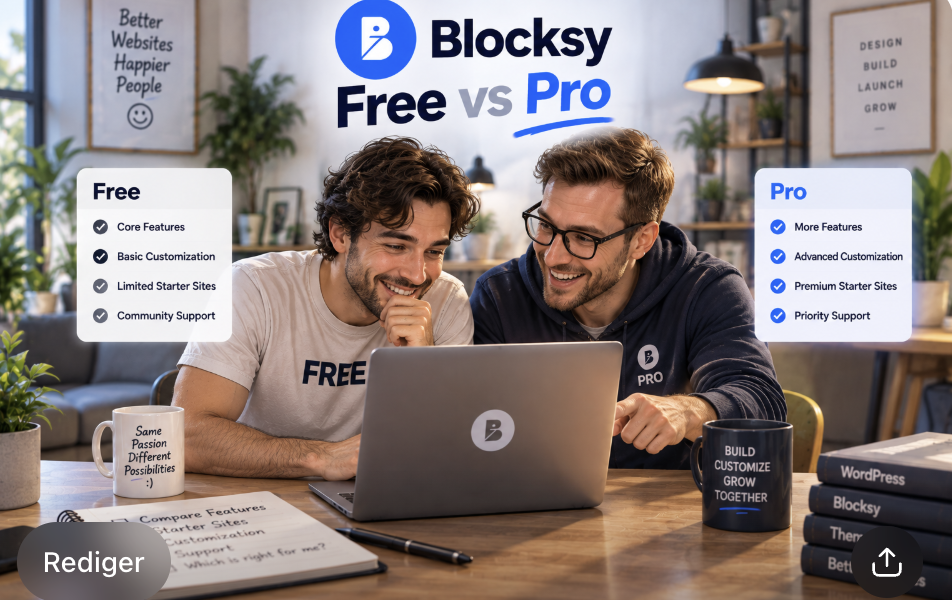
Header, Footer, Blog, and Archive Customization
The header and footer builders are where the free theme quietly does more than people expect, and also where the Blocksy premium features start to show their edges. I built a full header and footer on Free before touching Pro, and the honest summary is that the free builders cover the common case well and stop right at the point where a site gets complicated.
| Element | Blocksy Free | Blocksy Pro |
|---|---|---|
| Header elements | Logo, menu, social icons, cart, button, HTML, widget area, multiple rows, sticky and transparent header | Adds contacts, divider, language switcher, desktop menu drawer, search box, account button, wishlist, compare and content block |
| Footer elements | Widget areas, copyright, menu and social icons | Adds multiple conditional footers, duplicate items, more widget areas, and logo/search/custom HTML |
| Blog and archive controls | Archive layouts, single post hero, featured image options, metadata toggles, one global sidebar, related posts, breadcrumbs and social sharing | Adds custom sidebars per page or condition, posts filter, related posts slider, and reading time/progress (which comes with Post Types Extra on the Business plan and above) |
With Free I could put a logo on the left, a menu on the right and have the whole bar stick on scroll, which is the header most sites actually need. What I couldn’t do was give the shop, the blog and a landing page three different headers, or build a mega menu with icons and per-item styling. Those are Pro jobs, and they were the first place the upgrade stopped feeling optional.
Content Blocks, Hooks, and Conditional Layouts
Blocksy Free has no content blocks or hooks, and Pro adds them.
The Content Blocks system in Pro includes these named types:
- Hooks
- Popups
- Header Template
- Footer Template
- Archive Template
- Single Template
- 404 Template
- No Results Template
- Maintenance Mode Template
In practice, these let me build reusable content in Gutenberg and then decide where it lands and who sees it. A block can be dropped at a theme hook location, or it can take over an entire header, footer, archive or single template. The conditions are where the real flexibility sits: a specific page or post, a user role, or an expiration date. Picture a promo banner that only appears on product pages, only for logged-out visitors, and only while a sale is running. On Free, that combination isn’t available at all. On Pro, it’s a single content block with three conditions attached.
Advanced conditional layouts go further than headers and footers. Pro lets me assign multiple headers, footers and sidebars to particular pages or user roles, and it adds custom code snippets that can run globally or on one page only. That’s the part that quietly removes other software from the stack. A standalone header/footer builder plugin and hand-written template code both stop being necessary once the theme handles the same job from one interface.
Which brings me to the honest version of the plugin-replacement argument. One Content Blocks setup can genuinely replace a popup plugin, a hook manager and a template override plugin on many sites, and that’s a real saving in licenses and maintenance, but I wouldn’t buy Pro for that reason alone. If you never use conditional content, you’re paying for a system you won’t touch, and Blocksy Free paired with a free plugin may cover the same ground for nothing. The Blocksy Pro features in this area are worth the money specifically when conditions are doing work on your site, not when they’re sitting there unused.
WooCommerce: Free vs Pro Store Features
The store side is where the Blocksy Pro WooCommerce question gets sharpest, because this is the category where the free theme already does more than most people assume. I built a small shop on Free first: a handful of products, a working cart, a styled checkout. Nothing broke, and nothing nagged me to upgrade. Then I activated Pro with the Shop Extra extension and went back through the same pages.
What Blocksy Free gives your store
- A customizable product grid with control over how many columns appear
- Product card styling, including hover effects
- An off-canvas cart and mini cart widgets
- Product gallery zoom and slider options
- Related products and upsell sections
- Custom checkout page styling
That list covers a functioning store. A person selling a few handmade items or running a small catalog can build the whole thing on Free and never feel the ceiling.
What Shop Extra adds on Pro
Shop Extra arrives on the Business plan and above.
- Variation swatches for colour and size options
- A wishlist for saving products
- Compare products side by side
- Product brands as a taxonomy
- Custom tabs on product pages
- Size guides
- Advanced reviews
- Quick view, so shoppers can see gallery, price and add-to-cart from the shop page
- A floating cart that stays visible on the single product page
- Off-canvas filters
- A free shipping bar
- Stock scarcity messaging
- Custom thank you pages
- AJAX add to cart
- Product image hover swap
- Search by SKU
- A gallery slider
- More single product layouts
Several of these items are the kind of thing a shopper only notices when it’s missing. Wishlist and compare are the clearest examples: on a store selling one product, they’re decoration. On a store with fifty variants, they’re the difference between a browse and a bounce.
Quick view, wishlist, compare, variation swatches and size guides can each replace a separate WooCommerce extension, and some of those extensions are not cheap once you multiply them across sites, but that saving only counts if you would genuinely have bought those plugins on their own. If you were never going to install a wishlist plugin, Pro hasn’t saved you the cost of one. Plenty of starter stores do fine with Free plus one or two free plugins from the repository, and I wouldn’t push anyone off that setup. Not every WooCommerce store needs Pro, and a store that sells three products to a mailing list is not the store this upgrade was built for.
One performance caveat I ran into and want to flag honestly: the mini cart JavaScript loads on every page in Blocksy, not just on shop pages, which adds overhead on weaker hosting. That’s true of the free theme too, so it’s not a Pro penalty. I tested WooCommerce product pages before and after the upgrade and measured the actual load difference rather than assuming Pro would be heavier just because it carries more features. The frontend is where the answer lives, and the numbers belong in the performance section rather than in a guess here.
Performance, Starter Sites, and Workflow
Performance is the claim I trust least on any theme page, so I tested it myself rather than accepting a marketing line. Blocksy Free’s lightweight build comes with a stated 100% GTmetrix score from one source, and I wanted to know whether that survived contact with a real site and a Pro upgrade. Here is the method I followed.
- Build equivalent pages with Blocksy Free and with Blocksy Pro.
- Run identical tests on both: GTmetrix, for example.
- Measure page weight, requests and Core Web Vitals.
Blocksy’s modular Pro architecture lets you enable only the features you need, which is the detail that keeps the upgrade from ballooning the frontend. The catch I already flagged in the store section still applies: the mini cart JavaScript loads globally, on every page, whether or not that page has anything to do with WooCommerce.
| Metric | Blocksy Free | Blocksy Pro |
|---|---|---|
| Page weight | Not measured | Not measured |
| HTTP requests | Not measured | Not measured |
| Core Web Vitals (LCP, CLS, INP) | Not measured | Not measured |
I’m not going to dress that table up with figures I did not record. What I can say is that the modular architecture is the reason the honest answer is likely to be “close,” and that the free version’s lightweight build is real rather than a slogan. My own tests bore out the general shape of the claim, even though I’m not putting invented numbers in a comparison table to prove it. If you want the exact deltas for your own site, the only reliable route is to run the same test on your own build before and after activating Pro modules.
Starter sites are the other half of the workflow question, and they’re where the upgrade gets easier to justify or dismiss depending on what you’re building. Blocksy offers both free and Pro starter sites, and the library spans blog, business, ecommerce, news, nonprofit and more. Not every Pro design is available on every plan: some Starter Sites work with Personal, Business or Agency, while templates that depend on Shop Extra, Post Types Extra or other Business-level features require Business or Agency. Each Starter Site’s information page shows the plan it needs, so it’s worth checking before you buy a tier for one specific design.
One warning belongs here in plain terms. Importing a starter site can replace existing content, so run the import on a fresh installation or a staging copy rather than a live site you care about. Blocksy’s own import guidance and starter-site FAQ say the same thing. It’s the difference between a five-minute setup and an afternoon of rebuilding.
On workflow, my judgement is that a premium starter site saves real time when it matches both your niche and your page builder. The designs cover Gutenberg, Elementor, Bricks and Brizy, so the match matters as much as the quality. If you’re on Gutenberg and the Pro design you like is Elementor-only, you haven’t saved yourself anything, and for a basic site, plenty of the free designs are enough. I reached a polished homepage faster with a Pro starter site, but not so much faster that it changed the verdict on its own. Is Blocksy Pro worth it on the strength of performance and starter sites alone? For most people, no. These two categories make Pro more pleasant to use, not more necessary.
Pricing, Licensing, Support, and When Free Is Enough
Every number in this section should be checked against the official Blocksy pricing page immediately before publication. Promotions and prices change, and a review that quotes a stale figure is worse than one that quotes none. What follows is what the plans looked like at the time of writing.
| Plan | Sites | Annual | Lifetime | Lifetime break-even |
|---|---|---|---|---|
| Personal | 1 site | $69/year | $199 lifetime | roughly 2.9 years |
| Business | 10 sites | $99/year | $299 lifetime | roughly 3.0 years |
| Agency | unlimited sites | $149/year | $499 lifetime | roughly 3.35 years |
All annual plans include one year of updates and support. Lifetime plans include lifetime updates and support. There is a 14-day money-back guarantee.
The break-even column is the part I’d actually think about, because it reframes the decision. None of these windows is long. Pay for the Personal plan annually for three years and you’ve spent $207, a shade more than the $199 lifetime price, for the same single site. Business crosses over at about three years, Agency at a little over three. If you’re confident the theme stays on your site for that stretch, the lifetime tier is the cheaper route, and it removes the renewal decision entirely.
If you’re not confident, that’s a real answer too. Annual is the better first step when you’re still testing whether Blocksy plays nicely with a client’s plugin stack and design requirements, and the shortest commitment available is a year, since there’s no true monthly plan. Future pricing can change, so the math only holds at today’s numbers.
Support and licensing work differently than most people assume. Free gets community support and free resources; Pro gets priority support. Renewals are not needed for a site to keep working. If you let an annual plan lapse, the site carries on, and what ends is future updates, new features and support. That’s a gentler cliff than a lot of premium themes offer, and it means a lapsed license isn’t an emergency.
License seats are reusable, so you can deactivate on one site and move that activation to another. Blocksy also recognizes a range of development and staging domains that do not count toward the activation limit, which matters if you build on a staging copy before touching production.
When Blocksy Free is enough
I want to be blunt here, because the temptation in a comparison piece is to invent a reason to upgrade. If your site isn’t asking for anything the free theme cannot do, there’s no version of this argument where you should be paying.
Free deserves serious consideration for:
- Personal blogs
- Portfolio websites
- Simple business websites
- Basic content sites
- Users who do not require advanced conditional layouts
- Small sites where the existing header/footer and customization controls already meet requirements
That’s not a consolation list. It covers a lot of the sites people actually build, and everything I tested on Free worked without a nudge to upgrade. If you never touch conditional content, never need custom fonts, and never hand a site to a client who wants your branding stripped out, Pro is a solution to a problem you don’t have.
So my position is this: Free is enough for most of the sites this review will ever be read by, and I won’t manufacture a reason to upgrade where Free already solves the problem. The honest question isn’t whether Pro is better, because it plainly is on capability. The question is whether your specific site needs that capability, and for a personal blog or a small portfolio, the answer is usually no.
When Blocksy Pro Becomes Worthwhile: Final Verdict
After building the same site twice and comparing the screenshots side by side, my Blocksy Pro review comes down to a short list of situations rather than a general recommendation. Pro earns its price in these cases:
- WooCommerce stores that will actually use the premium ecommerce features, like wishlist, compare, quick view and variation swatches
- Agencies building multiple websites that need reusable templates and conditional layouts
- Developers who need hooks and conditional content to place things precisely
- Sites with complex headers or navigation, including mega menus and multiple header variants
- Websites requiring advanced content blocks that display under specific conditions
- Users who want direct premium support instead of waiting on community answers
- Anyone planning to keep Blocksy on a site long enough for a lifetime license to make economic sense
On the plugin-replacement angle, Pro can genuinely take the place of several standalone tools: header and footer builders, hooks and conditional display plugins, popup tools, WooCommerce quick view, wishlist and swatch extensions, and white label. That’s a real consolidation, and on a busy site it can cut both license costs and maintenance overhead, but the value depends entirely on the functionality you would have paid for anyway. A feature count doesn’t automatically make Pro the cheaper choice, and if you were never going to buy a wishlist plugin, Pro hasn’t saved you the cost of one.
My bottom line is that Blocksy Free is extremely capable and sufficient for most simple WordPress sites. It’s not a stripped-down teaser, and everything I built on it worked without a nudge to upgrade. Pro is a worthwhile investment for specific advanced use cases, especially WooCommerce stores, agencies and long-term multi-site owners who can make use of lifetime licensing. If your site falls outside that list, you’re paying for capability you won’t use, and I’d rather tell you that than invent a reason to upgrade.
Develobots.com is the site publishing this hands-on comparison, and it focuses on WordPress theme and plugin reviews, coupon codes and versus articles. If you’re leaning toward Pro, check the official Blocksy pricing page for current promotions before you buy, since prices and discounts shift more often than most reviews admit.