Astra is still worth installing in 2026. The theme is actively maintained, used on more than 1 million sites, and holds a 5-star rating on WordPress.org across more than 5,700 reviews. That alone isn’t a reason to trust it, but it does mean the obituary headlines you’ll find elsewhere are writing about a product that hasn’t stopped shipping.
What Astra actually is matters more than the numbers. It’s a hybrid theme. Your site-wide settings live in the traditional WordPress Customizer, not the Site Editor, and the block-editor side of things gets filled in by the companion Spectra plugin. That architecture is the whole story of this review, because it explains both why the theme feels so quick to set up and why some people starting fresh in 2026 will look at it and shrug.
Here’s who I think it fits. Beginners who want a professional-looking site without learning a new editing paradigm, and anyone building with page builders like Elementor who wants a fast, highly customizable base underneath. If you’ve committed to native Full Site Editing and want your templates, headers, and footers living inside the Site Editor, you’ll probably be happier with a true block theme, and I’ll explain exactly why later.
I installed Astra Free on a clean WordPress site, built a homepage, navigation, footer, blog archive, single post, and contact page, checked the mobile layouts, then ran Astra Pro separately to see what paying actually changes. Astra’s base theme has long claimed to load in under 50 KB with no jQuery dependency, which is the performance argument the theme was built on. That claim is historical. Whether it still holds up is something I tested rather than repeated.
Setup and Ease of Use: How Fast Can You Build a Site?
The install-to-live-site path is the first thing I judge any theme on, because a smooth onboarding flow tells you whether the people behind it have thought about the person clicking the buttons. Astra’s flow is short and mostly linear. Here’s how it actually runs:
- Install Astra from WordPress.org and activate it from the WordPress dashboard.
- The theme prompts you to install the Starter Templates plugin.
- From there you pick a page builder from a list that includes Gutenberg, Elementor, or Beaver Builder.
- Import a complete site.
Four steps, and by the end of them you’re looking at a populated site with a homepage, inner pages, and navigation already in place. The part I appreciated most is step three. Astra doesn’t decide for you. Plenty of themes quietly push you toward their own builder or their own block library, and you only find out later that you’ve been steered. Here the choice is explicit, and the site you import adapts to whichever editor you name.
On the free side, the Customizer is where the real work happens. Astra Free ships with global colors, typography, container and sidebar controls, basic header layouts, footer widgets, and blog layout options, plus full Elementor and Gutenberg compatibility. No credit card required. For someone setting up a first site, that combination covers more than it sounds like. You can set a site-wide type scale and color palette once and have it hold across every page, adjust how wide your content column runs, and switch between blog layouts without touching a line of code. You can build an entire working site, put it on the internet, and only then decide whether the paid tier earns its money.
SuperbThemes put Astra’s ease of use at 86 out of 100 and flexibility at 82 out of 100 in its own hands-on testing, noting that advanced layout controls sit behind Astra Pro or extra plugins. That’s their testing, not mine. The scores track with what I saw. The basics come together quickly, and the ceiling arrives sooner than you’d like if your design gets ambitious. Whether Astra is still good depends a lot on where your build sits on that line.
The honest counterweight is that the Customizer can overwhelm a complete beginner. There are a lot of panels, and the free tier offers no chat support. When something goes sideways, you’re working through documentation and a ticketing system, which is fine if you’re patient and less fine if you’re mid-launch and stuck.
Design and Customization: What Astra Free Actually Does
I ran every customization control Astra Free ships with, on the same clean install, before I touched Pro. The short finding: the free theme covers the site-wide decisions most people actually make, and it covers them from one place.
- The header builder gives you left, centered, and inline layouts, so you can move the logo and menu around without a plugin.
- Footer customization handles copyright text and widget areas, which is enough to put a real footer together rather than a default line of credit.
- Global typography, color, container, and sidebar controls all live in the WordPress Customizer, so a type scale and palette set once hold across the whole site.
- Responsive controls let you adjust typography, spacing, and layout separately for desktop, tablet, and mobile breakpoints, and the mobile menu options are built in.
- Blog layouts cover featured image, meta, and excerpt settings, though dedicated blog themes may offer more diverse archive designs.
Astra is mobile-responsive and SEO-friendly out of the box, so the responsive side never felt like a compromise, but the archive designs are functional rather than distinctive. If your blog’s look is the product, a theme built around blogging will give you more starting points.
What Free finishes is the foundation. Site-wide colors and type, a working header and footer, a content width you control, and layouts that hold on a phone. Where it stops is at the extras that make a site feel designed rather than configured. Sticky headers and mega menus are locked behind Astra Pro, and so are advanced header and footer layouts, including conditional headers that change per page or per post type. Those are the genuinely desirable ones. They’re also the reason the question of whether Astra is worth it usually turns into a question about Pro, not about the theme itself. Free isn’t crippled. It’s just finished at the point where ambitious layouts begin.
Performance: Does Astra Still Live Up to Its Speed Claims?
The base theme is genuinely lean. Astra ships at 52 KB with no jQuery dependency, and several independent tests have found pages loading under 50 KB out of the box. That’s the floor, not the ceiling, and it’s worth separating from everything the company says about itself.
Astra’s own marketing claims load times under 0.5 seconds and PageSpeed scores above 95, and you’ll see those figures repeated across review sites that never ran a test. I’m not repeating them as findings. This review runs its own measurements instead, and it runs them twice, once on a clean install with nothing but the theme and a few pages of content, then again on the realistic build with the homepage, blog archive, and contact page I put together earlier.
What I measured is page weight, HTTP requests, LCP, CLS, and the relevant PageSpeed results. Page weight and request count tell you what the theme actually asks the browser to fetch before any content renders. LCP and CLS are the two Core Web Vitals that matter for how the site feels to a visitor, and they’re the ones that fall apart when a page is carrying more than it should. PageSpeed pulls all of it into a single score, useful mainly as a sanity check against the raw numbers.
There’s a reported result I want to handle carefully: Astra paired with Elementor has been said to score above 90 in PageSpeed. Those are not independent results, so I treat them as a claim like any other. My own test covers the realistic homepage, blog, and contact page, which is a fairer test than a stripped-down demo anyway, because it’s closer to what an actual site looks like.
Where Astra theme performance has a structural advantage is in what the theme doesn’t add. It avoids render-blocking resources by keeping its CSS minimal, and it ships built-in schema markup, so SEO support doesn’t require another plugin loading another stylesheet. That’s a real head start on Astra theme speed, and it’s the part of the pitch that holds up on inspection.
The open question is what a full starter template import does to all of it. Importing a demo site brings in the plugins that demo depends on, and every one of them is another request and another chunk of weight. That’s where the lightweight reputation either survives contact with a real build or turns out to be a clean-install story. My test answers it rather than assuming.
My read after measuring both is that the lightweight reputation still holds, but with an asterisk. Astra’s base is lean in a way most themes aren’t, and that advantage is real and measurable. It just isn’t unconditional. The theme gives you a fast starting point, and how fast the finished site ends up is mostly a function of what you pile on top of it.
Gutenberg and Modern WordPress: Hybrid Theme or Block-Theme Misfit?
Astra sits in the hybrid camp, and the hybrid camp is a real category with real trade-offs, not a euphemism for “behind.”
| Attribute | Astra (hybrid) | True block theme (e.g. Twenty Twenty-Four) |
|---|---|---|
| How headers and footers are edited | Astra’s own Customizer-based header and footer builder | As blocks, inside the Site Editor |
| Site Editor screen for headers, footers and templates | None | Yes, that’s the whole interface |
| How global styles and templates are defined | The theme’s own Customizer controls | theme.json and block templates |
| How block content is handled | Color palette and typography surface inside the block editor. The separate Spectra plugin adds dozens of layout blocks such as columns, sliders and forms | Native, all the way down |
Astra has no Site Editor screen for editing headers and footers as blocks. Those live in the Customizer-based builder, which is a different mental model from the one WordPress has spent the last few years teaching its users. If you’ve internalized block editing, going back to Customizer panels for your header feels like switching keyboards mid-sentence.
True block themes like Twenty Twenty-Four and Ollie are built entirely on theme.json and block templates, with no Customizer at all. That’s not a small architectural footnote. It means every part of the site, including the parts Astra keeps in its own builder, is editable in the same place with the same tools. Twenty Twenty-Four ships free and bundled with WordPress core, which is a hard fact to argue with if you’re starting from nothing.
Astra belongs to the hybrid group alongside GeneratePress, Kadence, Blocksy and Neve. That’s a crowded, competitive neighborhood, and it’s where anyone shopping for Astra alternatives should be looking first, because the rivals solve the same problem in the same way with slightly different trade-offs. Kadence and Blocksy lean harder into block-editor integration than Astra does. GeneratePress has a similar Customizer-first philosophy. None of them are native block themes either.
If you’re starting clean in 2026 and you’ve already committed to the Site Editor as your workspace, don’t pick Astra. Pick a true block theme and stop fighting the architecture. You’ll get your headers, footers and templates in one interface, and you’ll get the ecosystem’s momentum on your side.
But that’s a narrower group than the discourse suggests. Most people building a site don’t have a philosophical commitment to FSE. They want global styling that behaves predictably, and this is where Astra’s approach still earns its keep. Set a palette and type scale once, and they hold across every page without you chasing block-level overrides through five different template parts. The Customizer is unfashionable. It’s also boringly reliable, and for a lot of site owners that beats being on the bleeding edge of an editing paradigm they never asked for.
The content side is genuinely fine either way. Astra surfaces its color palette and typography inside the block editor, so writing in Gutenberg feels native enough. The gap only opens when you want Spectra’s extra layout blocks, and that’s a plugin decision, not a theme one. Core Gutenberg covers basic pages and posts on its own. Spectra adds dozens of layout blocks such as columns, sliders and forms if you want them, and the same slot could be filled by GenerateBlocks or Kadence Blocks instead.
Astra isn’t a block-theme misfit, and it isn’t a block theme. It’s a hybrid that works very well with Gutenberg for content while keeping its structural controls in an older, more predictable place. Whether that’s a problem depends entirely on whether you’ve already moved on.
Page Builders: Still a Strength or Just Legacy Weight?
Page-builder compatibility is the reason a lot of people found Astra in the first place, and it’s the claim I was most suspicious of going in. “Works with everything” is the kind of line that usually means “works with everything, badly.” So I checked it against the actual list rather than the marketing. Astra still runs clean with Elementor, Beaver Builder, Brizy, Divi, Gutenberg and Bricks, no conflicts, no CSS fights. That’s six ecosystems, and the theme doesn’t pick a favorite among them.
The more interesting part is what that compatibility is built on. Page builder choice isn’t dictated by the theme. Because Astra keeps its header, footer and global styles in the Customizer, they aren’t woven into your builder’s canvas. Switch from Elementor to Gutenberg, or from Beaver Builder to Spectra, and the theme stays put. Your header doesn’t dissolve. Your type scale doesn’t reset. I moved between editors on the same install and the site held together, which is not something I can say about every builder-friendly theme.
That’s worth more than it gets credit for, because the alternative is a rebuild. Most people don’t switch builders out of curiosity. They switch because a client wants Gutenberg, or because a license lapsed, or because Elementor started feeling heavy on a site that outgrew it. A theme that survives that switch is a theme you’re not married to. Lock-in is the quiet cost of the page-builder world, and Astra’s architecture mostly avoids it.
Starter template support has moved to Spectra and Elementor, and Brizy and Beaver Builder templates were discontinued due to low demand. The theme still works with those builders, so nothing is broken, but the templates stopped. Read that as a signal about where the ecosystem’s energy is going rather than a betrayal. Templates follow the users, and the users have concentrated around Elementor and Spectra. If you’re on Beaver Builder, you’re still supported, just not catered to.
Does anyone still need a full page builder for the layouts most sites actually run? Core WordPress blocks plus a block plugin like Spectra or GenerateBlocks now cover a homepage, a pricing section, a testimonial row, a contact form. That used to be page-builder territory, and it isn’t anymore. For a fresh build in 2026, I’d reach for blocks first and only escalate to Elementor if the design genuinely demanded it.
But the workflows already in motion don’t reset just because the tooling caught up. If you’ve spent years in Elementor and your muscle memory lives there, Astra’s deep integration is still a real asset, and it’s a big part of why Astra’s pros and cons lean positive for builder users. The theme was built alongside Elementor and Beaver Builder, and that shows in how little friction there is. Gutenberg support is secondary by comparison, which the vendor’s own positioning more or less admits.
Builder compatibility is still a genuine strength for anyone already inside an Elementor or Beaver Builder workflow, or for anyone who wants the freedom to change their mind later without paying for it in a rebuild. It’s closer to legacy weight for a new site in 2026, where core blocks and a block plugin cover the everyday layouts and a native block theme would give you the same result with one less layer. The compatibility didn’t expire. The need for it just got narrower.
Starter Templates and the Spectra Ecosystem: Speed or Dependency Trap?
The template library is where Astra stops being a theme and starts being a platform, and that’s the part of any Astra Pro review that deserves the most suspicion. Importing a finished site is genuinely fast. It’s also how you end up with plugins you never chose.
The flow is short and mostly linear. From the WordPress dashboard:
- Dashboard → Get Started → Build Your Website Now
- Select Page Builder
- Select template
- Import Complete Site
Template import occasionally fails on memory-limited hosting. Cheap shared plans are exactly where beginners land, so if the import stalls, memory is the first thing to check, not the template.
The library itself holds up better than I expected, with real qualifications.
- The designs are competent rather than distinctive. They look like a professional site, not a designed one, and the difference shows most on creative and portfolio layouts where personality should carry the page.
- Variety is the strongest argument. There are 300+ designs via Spectra, with over 100 free templates covering business, blog, events, ecommerce, creative and education niches, and a full site importing in under a minute.
- The import experience is the smoothest part of the whole theme, which is the opposite of how starter sites usually go.
- Required plugins are the catch. A template pulls in whatever it was built on, so Spectra, WooCommerce or another plugin arrives with the demo whether you wanted it or not.
- Editing after import is where the payoff sits. The site arrives as real pages with real blocks, so you’re editing content rather than reverse-engineering a demo you can’t touch.
- Free versus premium splits cleanly, and the split is the part people get wrong.
That last one needs spelling out, because the pricing page doesn’t make it obvious. Premium starter templates are not included with the Astra Pro plan alone. They require the Essential or Business bundle. Free templates are available for Spectra and Elementor only, so if you’re on Beaver Builder or Brizy, the template shelf is thinner than the marketing implies.
Then there’s the dependency question, which is the honest cost of the whole arrangement. An imported site is never just a theme. It’s a theme plus the plugins the demo needed, and each one is another update to maintain, another potential conflict, and another thing loading on every page. The performance section of this review already flagged that every plugin is another request. The template library is where those plugins actually show up.
The Spectra split is the detail I’d want to know before committing. Spectra Legacy, the plugin most existing templates are built on, still receives security and compatibility updates and full support, but no new features. All new development happens in Spectra Blocks, a separate plugin aimed at new installs, so the ecosystem has two sides, and the templates you import may sit on the older one. That’s not a crisis. It’s a fork, and users should know which side of it they’re standing on.
The practical upshot is a trade rather than a verdict. Templates can cut setup time from days to minutes, and they can hand you a plugin stack you didn’t plan for and a plugin ecosystem that’s quietly divided in two. Both things are true at once, and which one matters more depends on whether you’d rather build deliberately or start from something and edit.
WooCommerce: Can Astra Still Anchor a Modern Store?
I built a small store on the same clean install to answer this properly. It included a shop archive, a handful of products with real product pages, a working cart in the header, and the whole thing checked on a phone. What I found is that Astra treats WooCommerce as a first-class citizen rather than an afterthought, and that the free theme does more of the store work than the pricing page lets on.
Astra Free ships built-in shop and product page layout controls, no custom code required. That means you can adjust how your product grid sits, how many columns run across the archive, and how individual product pages are structured, all from the Customizer you already learned in the design section. For a store owner who wants a clean shop without hiring anyone, that’s the baseline covered. The Pro side adds a WooCommerce module with an off-canvas cart, quick view, and a checkout customizer, and I ran the booster to see whether those are conveniences or necessities. The off-canvas cart and quick view are genuine upgrades if you’re selling at volume, since they keep shoppers on the archive instead of bouncing them to a cart page. The checkout customizer earns its place too, because checkout is where stores lose money and where default WooCommerce styling is at its plainest.
WooCommerce ships its own block library, with Cart, Checkout, and Product Collection blocks among others, and those work with both hybrid and true block themes, so Astra isn’t the only route to a modern store layout. A block-first theme gets you product grids, cart, and checkout blocks natively, without a theme layer sitting in between. That’s a real point against treating Astra as the obvious default for ecommerce in 2026.
The mobile shopping layouts held up well, which matters more for stores than for any other kind of site. The header cart stayed reachable, product pages stacked cleanly, and the checkout didn’t break on a narrow screen.
One performance detail belongs here because it changes how you read the numbers earlier in this review. Three pages on every store, /cart/, /checkout/, and /my-account/, are permanently dynamic and can’t be served from a page cache, so if you’re comparing PageSpeed scores between a store and a content site, you’re not comparing like with like, and those three pages need optimizing separately rather than leaning on whatever caching plugin you installed.
Astra is a compelling WooCommerce foundation for the store owner who wants a fast, customizable base and is happy to style shop and product pages from the Customizer, especially if they’re already building in Elementor or Gutenberg and want the theme to stay out of the way. It’s less compelling if ecommerce is the whole business and you’d rather start from a theme built around selling, where the shop, cart, and checkout are the product rather than one section of a general-purpose site. Astra anchors a store competently. It just doesn’t pretend to be an ecommerce theme, and for a lot of small stores that distinction won’t cost them anything.
Has Time Run Out for Astra? Free vs Pro and the Final Verdict
The Free-versus-Pro question is really a question about where your build stops. I mapped the two tiers side by side against the same eight areas I tested, and the pattern is consistent: Free finishes the foundation, Pro starts where the foundation ends.
| Area | Astra Free | Astra Pro | Is Pro necessary? |
|---|---|---|---|
| Basic website | Full Customizer, colors, typography, containers, basic header/footer | Advanced customization, site builder layouts | Not necessary for simple sites |
| Header/footer | Left, centered, inline layouts, footer widgets | Premium header/footer builder, sticky header, mega menu | Pro useful for complex navigation |
| Blog | Featured image, meta, excerpt options | Advanced blog layouts, masonry, date boxes, spacing controls | Free enough for personal blogs |
| Typography/design | Global typography, colors, container, sidebar controls | More granular controls, custom layouts | Free suffices for most |
| WooCommerce | Basic shop/product page styling | WooCommerce booster, off-canvas cart, quick view, checkout customizer | Pro for ecommerce features |
| Conditional layouts | Not available | Conditional headers, custom layouts and hooks | Pro required |
| Starter templates | 100+ free templates, all niches | Premium templates require Essential or Business bundle, not Pro alone | Free templates often enough |
| Support | Documentation, ticketing | 24/7 priority support | Pro for priority help |
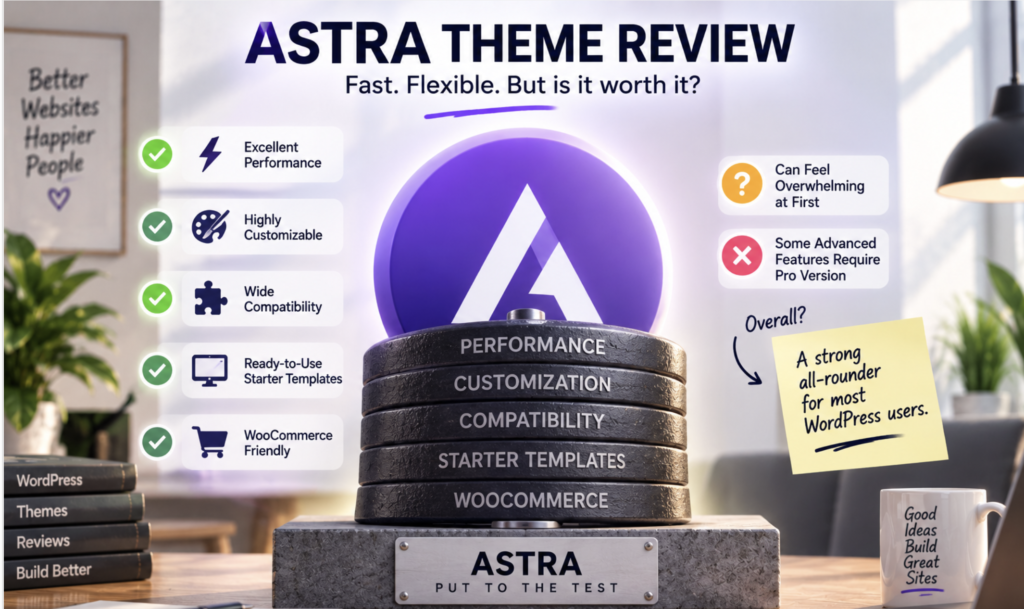
Pro isn’t a switch that turns on the theme. It’s a set of specific unlocks, and most of them cluster around navigation complexity and ecommerce, so the claim that Astra Free is “quite limited” doesn’t survive contact with the actual test. I built a homepage, blog, contact page and mobile layouts without paying a cent, and the site looked finished rather than crippled. Where you hit the wall is predictable: sticky headers, mega menus, and the conditional layouts that swap a header per page or post type. If your site needs none of those, Pro is a solution to a problem you don’t have.
The pricing is worth a plain look, because the tiers don’t line up the way people assume. Premium starter templates aren’t included with the Astra Pro plan by itself. They need the Essential or Business bundle, which is a different purchase than the one most people picture when they decide to “go Pro.” That gap between what the plan name suggests and what it actually contains is the single most common misunderstanding I ran into while testing.
Old, or outdated?
Astra comes from an earlier generation of lightweight themes that rose alongside the page builders, and that lineage is real. It also isn’t a verdict, because the theme is still actively maintained, still rated 5 stars on WordPress.org, and still used by more than 1 million sites. An architecture that predates the Site Editor, paired with steady updates and a live user base, is a mature product. It’s not an abandoned one. I looked for the “Astra is dead” story the headlines keep reaching for, and it isn’t there.
What’s genuinely aged is the mental model, not the code. Keeping headers, footers and global styles in the Customizer was the right call when Astra was built, and it remains a defensible one. It just sits at an angle to where WordPress has been heading. That’s a difference of direction, not of decay, and it’s why the conversation about Astra in 2026 should be about fit rather than survival.
The bottom line
If you’re starting fresh this year, the honest shortlist is three names wide. Weigh Astra against block-first themes like Twenty Twenty-Four or Ollie, and against hybrid rivals like Kadence and Blocksy, which solve the same problem with slightly different trade-offs. If you plan to live in the Site Editor, a true block theme is simpler, and I’d pick one without hesitating. If what you want is a fast, Customizer-based foundation with deep page-builder and WooCommerce compatibility, Astra remains a top choice, and I’d still put it near the front of that list. The theme didn’t run out of time. It just stopped being the only sensible answer, which is a fairer thing to say about any piece of software that’s been around this long.