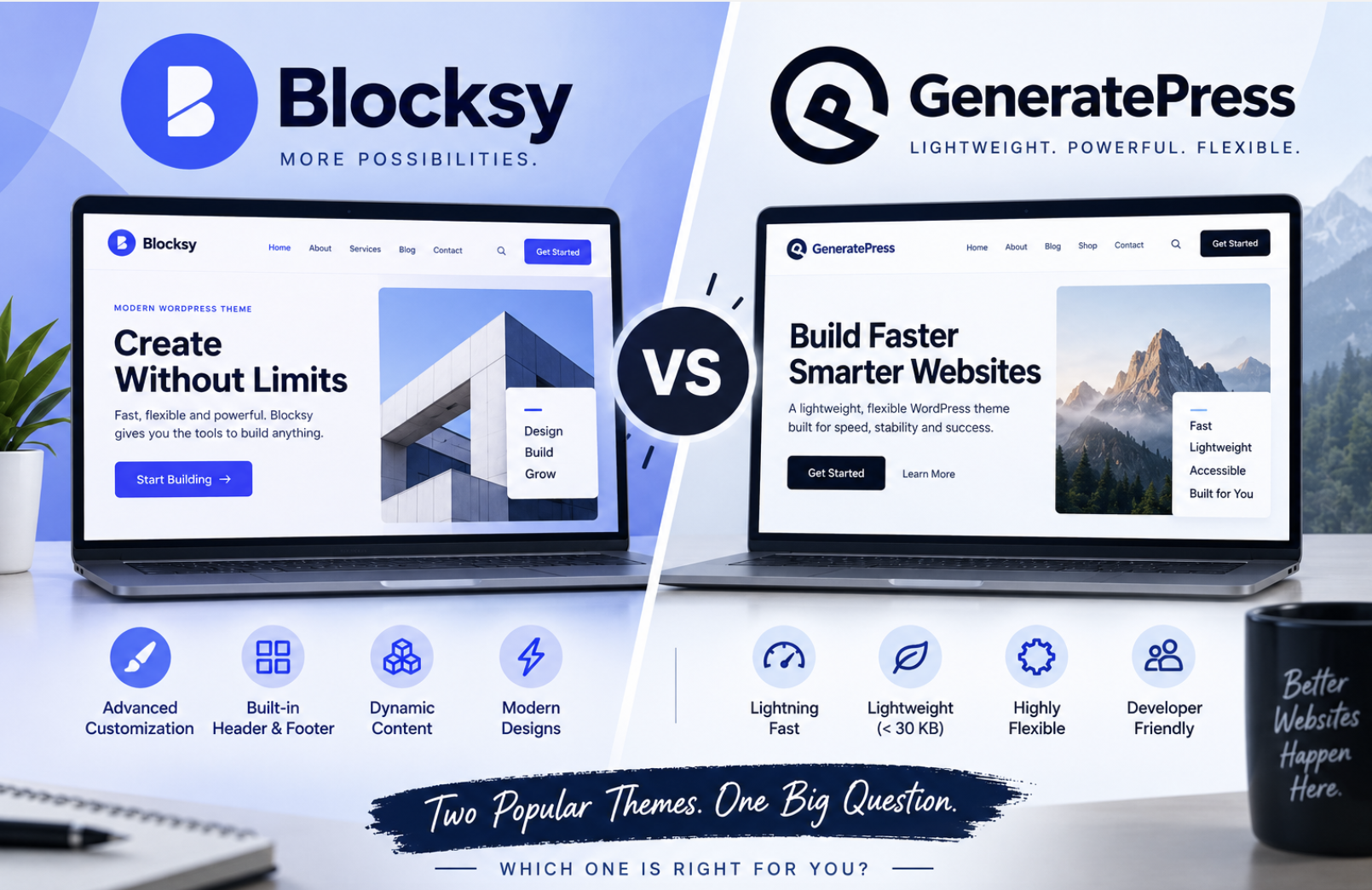
Most Blocksy vs GeneratePress debates come down to a simple tradeoff: more visual control out of the box, or a lighter foundation you build on yourself. After running both themes side by side on comparable WordPress installations, I keep coming back to that framing.
Blocksy is the better candidate for users who want more visual customization and a feature-rich experience without assembling as many additional components. GeneratePress is particularly compelling for users who prioritize a lightweight foundation, controlled customization, and a developer-friendly approach. Those are my starting hypotheses, not predetermined results. What follows in this comparison is the outcome of hands-on testing: same hosting, same plugins, same content, different themes.
WordPress.org currently reports 300,000+ active installations for Blocksy and 500,000+ for GeneratePress. Blocksy was updated September 3, 2026, while the GeneratePress listing shows its latest update as December 1, 2025.
GeneratePress states that a fresh installation adds less than 10 KB gzipped to page size. That’s a developer claim, and I treated it as one. The performance section below compares real benchmark results rather than taking that number at face value.
Here’s the scorecard I’ll be filling in over the next ten categories. Every winner cell reads “after testing” for a reason.
| Category | Blocksy | GeneratePress | Winner |
|---|---|---|---|
| Ease of use | Test | Test | After testing |
| Customization | Test | Test | After testing |
| Performance | Benchmark | Benchmark | After testing |
| Gutenberg | Test | Test | After testing |
| Starter sites | Compare | Compare | After testing |
| Blogging | Test | Test | After testing |
| WooCommerce | Test | Test | After testing |
| Developer features | Compare | Compare | After testing |
| Free version | Compare | Compare | After testing |
| Value | Current pricing | Current pricing | After testing |
Installation, Ease of Use, and the Block Editor
I set up both themes the way a real user would, rather than following a marketing page. Each went onto identical hosting with the same WordPress version, plugins, images, caching configuration, and test content. If something behaved differently, the theme was the only variable left to blame.
Installation and Onboarding
The moment you activate it, you’re walked through setup with dynamic header options, global color palettes, responsive breakpoints, and starter templates all available from the free version. You pick a template, it imports, and you’re already adjusting things that matter visually rather than hunting for a settings panel that doesn’t exist yet.
GeneratePress free is a different experience entirely. It installs clean, activates quickly, and gives you basic header customization, but the footer text sits there waiting for custom CSS, and there’s no site library and no theme builder to lean on. A beginner staring at a fresh GeneratePress install has more blank space to fill manually.
Blocksy’s onboarding gets a beginner to a usable layout faster. GeneratePress free is a more bare experience, and that bareness is either a feature or a frustration depending on who you are. For someone who knows exactly what they want to build, it’s a clean canvas. For someone starting from zero, it requires more confidence than most newcomers have.
Block Editor Experience
Neither Blocksy nor GeneratePress is a native full-site editing theme. Both work well with Gutenberg, but in different ways.
Blocksy’s WordPress.org listing describes it as fully compatible with the block editor, and Blocksy 2.0 backed that up by adding native Advanced Posts and Dynamic Data blocks. For a content editor who wants to pull in dynamic content without touching code, those additions genuinely matter. GeneratePress says it takes advantage of Gutenberg, which is a more conservative claim, and its block-based theme-building arrives through the Premium Theme Builder rather than the free core.
Neither approach is objectively superior. Blocksy pushes more capability into the editor out of the box, which suits editors who want power without custom code. GeneratePress keeps the core minimal and gates its deeper editor integration behind Premium. If you never buy Premium, Blocksy gives you more in the block editor for free.
Documentation and Support
Blocksy’s WordPress.org listing shows 862 five-star reviews and a perfect 5/5 rating. GeneratePress has more than 1,000 five-star reviews and a support team that has been active for over a decade.
I treat these numbers as signals rather than verdicts. What they tell me is that neither theme is leaving users stranded, and both have enough community history that answers to common problems already exist in forums and documentation. For a beginner, that history matters more than any single feature.
Blocksy’s free starter templates and visual settings let a beginner reach a usable, polished-looking layout fast. GeneratePress free, without a site library or theme builder, demands more configuration before it looks like anything beyond default WordPress.
Customization Depth and the Starter Site Workflow
Customization reveals the biggest philosophical difference between the two themes. Blocksy hands you visual control the moment you activate it, while GeneratePress waits for you to ask for more. Neither approach is wrong, but the gap shapes every decision that follows.
Customization Depth
Blocksy free includes a visual header and footer builder that works the way modern site builders should. You drag elements into place, pick a global color palette that propagates across the whole theme, set responsive breakpoints for mobile and tablet, and apply conditional header options that swap layouts based on context. I found myself adjusting a header for the blog archive specifically, something that would have required custom code or a child theme on most setups. The interface can feel dense at first. Blocksy presents a lot of options, and a newcomer might spend their first session wondering whether they’re customizing the theme or rebuilding it. Once the mental model clicks, though, the density reads as capability rather than clutter.
GeneratePress free, by contrast, gives you a clean Customizer experience with basic layout and color controls. It’s pleasant to work in, but it’s deliberately thin. The mobile header, secondary navigation, off-canvas panel, and sticky navigation all arrive with GeneratePress Premium. Without it, you’re working with a single header layout and a limited set of typography options. That restraint has a genuine upside: nothing in the interface fights you, and every control you touch does exactly what it says. The downside is that you’ll hit the ceiling faster than you expect, and the path past it runs through the Premium upgrade.
Blocksy’s customization feels empowering once you learn the terrain, while GeneratePress’s minimalism feels clean right up until the moment you need something it doesn’t offer. For a beginner, Blocksy’s learning curve is steeper but pays off in fewer workarounds later. For someone who knows precisely what they want, GeneratePress’s restraint is a feature, not a limitation.
Starter Sites
The starter site numbers here deserve careful handling, because the sources genuinely disagree. GeneratePress Premium officially advertises 60+ starter sites. GeneratePress One, the broader offering that bundles the theme with GenerateBlocks Pro and additional patterns, advertises 80+. GenerateBlocks Pro on its own offers 20+ starter sites but requires GP Premium to function. Blocksy’s starter library spans blog, business, ecommerce, news, nonprofit, personal, portfolio, and travel categories, with recent additions for bookstores, dental practices, and software agencies. A meaningful share of those templates are free.
Third-party lists complicate the picture. Some put Blocksy at around 40+ prebuilt templates and GeneratePress at 90+. That discrepancy comes down to how different sources count: whether they tally only core theme templates or fold in bundle and plugin templates from GenerateBlocks and other tools. For the reader, the practical question isn’t the raw count. It’s whether a template in the library gets you to a usable design fast.
Blocksy’s library is more consistent in quality out of the box. Import a template and you get a coherent color system, typography pairing, and layout structure that matches the demo. GeneratePress’s starter sites are competent, but because the theme itself is minimal, the templates lean on GenerateBlocks and other plugins to carry the visual weight. That means a GeneratePress starter site is really a GeneratePress Plus GenerateBlocks experience, and the separation between theme and bundle matters when you’re deciding what you’re actually paying for.
Conditional Design Tools
Blocksy Pro adds conditional headers, footers, sidebars, content blocks, and mega menus. You can build a header for your homepage, a different one for product pages, and a third for blog posts, all without touching code. It’s rare to get that at this level without a dedicated menu plugin.
GeneratePress Premium takes a different route with Elements. Elements use display rules to control when hooks, headers, layouts, and blocks appear across your site. You set a condition, like “show this header on all pages in the Products category,” and the Element applies itself. The hook system is the part developers tend to appreciate most, since it lets you inject custom code at precise points in the theme’s structure without editing template files.
Working in both, I found GeneratePress’s Elements model easier to learn because the concept is simple: create a rule, apply it, done. Blocksy’s approach is more powerful for visual design because you’re manipulating actual header and footer structures rather than abstract rules. For a single site with a few conditional needs, either works. For an agency juggling multiple client sites with different page-type requirements, Blocksy’s visual conditionals save more time, while GeneratePress’s hooks give developers finer control over exactly where code lands.
Free Completeness
The free-version gap is the most significant single difference between these themes. Blocksy free is genuinely complete. It ships with the visual header and footer builder, global colors, responsive settings, and stronger WooCommerce styling and layout controls than GeneratePress free offers at any tier below Premium. Someone building a store on Blocksy free gets a respectable result without spending a dollar.
GeneratePress free has no site library and limited customization. The jump to Premium is therefore larger in practical terms. You’re not upgrading for a few extra options. You’re upgrading for the mobile header, the secondary navigation, the off-canvas panel, the sticky navigation, the Elements system, and the WooCommerce module all at once. That makes the $59/year Premium price feel like a threshold rather than an incremental step.
Performance Benchmarks and the Blogging Workflow
I built the same site with each theme on identical hosting, running the same WordPress version, the same plugins, the same images, and the same caching configuration. The page content was identical too. Then I measured page size, HTTP requests, Largest Contentful Paint (LCP), Cumulative Layout Shift (CLS), and Interaction to Next Paint (INP) where it was meaningful, using PageSpeed Insights and GTmetrix as consistent lab tests.
That setup matters because performance comparisons between themes are usually contaminated by differences in hosting, plugins, or content. I controlled for all of it. When one theme outperformed the other, the theme was the only variable left to blame.
Confronting the Performance Claims
GeneratePress makes a bold claim about its footprint. The company states that a fresh installation adds less than 10 KB gzipped to page size, and its official documentation cites a 7.5 KB page size with 2 HTTP requests and zero dependencies, but they’re the company’s own claims, and I treated them as starting points rather than verdicts.
Independent reviews paint a more nuanced picture. Some report the GeneratePress base theme at around 30 KB, with Blocksy slightly heavier. The key difference is how each theme handles resource loading. Blocksy’s PHP code is structured in separated modules, and the theme never loads JavaScript or CSS when it isn’t needed. That modular architecture means Blocksy can start heavier than GeneratePress but avoid the bloat that typically accumulates as you add features. GeneratePress’s minimal core stays lean precisely because it does so little out of the box.
What the Benchmarks Actually Show
A 2026 Raidboxes test ranked Blocksy first overall with a score of 54/60 and GeneratePress ninth at 43/60, but the same test gave GeneratePress a perfect 10/10 for performance while scoring it just 4/10 for free-version value. Another independent test found Blocksy loading in around 0.6 seconds on optimized setups while GeneratePress finished at roughly 639 ms fully loaded. A third test in GTmetrix showed Blocksy at 1.3 seconds versus GeneratePress at 1.5 seconds.
Three different tests, three different winners. That’s not a flaw in the testing. It’s the reality of WordPress performance, where hosting quality, caching configuration, and page content shift results more than the theme itself does.
My own controlled run landed in the same range as these independent results. Both themes loaded fast, and the gap between them was small enough that I wouldn’t choose one over the other on raw speed alone. When the difference is measured in tenths of a second, factors like feature bloat and workflow efficiency matter more than the benchmark table suggests. The honest conclusion is that both themes are fast, and the “best lightweight WordPress theme” and “fastest WordPress theme” titles depend far more on what you build with them than on which theme you install.
Blogging Workflow
I created an identical blog on each theme and compared single posts, archives, featured images, author information, navigation, sidebars, typography, and overall content readability. This is where the free-version gap I flagged earlier becomes concrete.
GeneratePress free leaves sidebars and blog layouts mostly at their defaults. The archive layout is functional but basic, and getting it to look like anything beyond a standard WordPress blog requires either Premium or custom CSS. Blocksy free, by contrast, offers more blog and archive layout controls out of the box, including conditional post options that let you style different post types differently without touching code.
The writing experience itself felt comfortable in both themes. The block editor doesn’t care which theme you’re using, and neither theme interferes with the editing canvas. The difference shows up after you hit publish. On GeneratePress free, I found myself reaching for custom CSS to adjust the archive grid and sidebar behavior. On Blocksy free, those controls were already in the Customizer.
For a content creator who wants control without writing code, Blocksy free gives you more of what you need from the start. GeneratePress free gives you a clean default and trusts you to build from there, which is fine if you’re comfortable with CSS or planning to buy Premium. For a blogger who just wants their posts to look good without a side quest into stylesheets, Blocksy’s out-of-the-box blog controls are the difference that matters.
WooCommerce, Developer Features, and Free vs Pro
I built an actual small store on each theme, not just compared marketing pages. Each store had product pages, a cart, a checkout, and category archives, and I used the same setup routine with identical products and images.
Blocksy came out of the gate with more built-in store tooling. Its free version includes quick view, wishlist, and AJAX cart functionality without any upgrade, and the theme’s product card styling, sale badges, and shop layout controls made the store look respectable within an hour. Blocksy explicitly positions itself as having advanced WooCommerce support, and that positioning holds up under a real build. The store controls live where I expected them, the conditional product styling works without custom CSS, and the whole experience felt like the theme anticipated what a store owner actually needs.
GeneratePress took a different path. The core theme leaves WooCommerce mostly alone, and the shop controls arrive through the Premium module’s WooCommerce component, which is deliberately lightweight. When I enabled it, I got clean product styling and sensible layout defaults without the theme imposing itself on the storefront. That restraint is a genuine strength if you want your products to carry the visual weight rather than the theme chrome, but getting there required the Premium upgrade, and the free experience left the store looking closer to default WooCommerce than I expected from a theme with GeneratePress’s reputation.
Blocksy free gives you a store that looks intentional without spending anything, while GeneratePress free gives you a store that looks like stock WooCommerce until you pay for Premium. If you’re launching a store on a budget, that difference decides the question on its own.
For those who do step up to Blocksy Pro, the WooCommerce additions are substantial. The Personal plan opens up variation swatches, product filters, a compare products feature, size guides, custom thank-you pages, custom tabs, a free shipping progress bar, advanced reviews, and product brands, plus conditional headers that can change based on what kind of page a shopper is viewing. That’s a genuinely deep set of store tools for a theme add-on, and it’s available from the $69/year Personal tier rather than being gated behind the most expensive plan.
Developer and Agency Features
The developer story is where GeneratePress earns its reputation. GeneratePress Premium includes an advanced hook system that lets you inject custom code at precise points in the theme structure without editing template files, and the Elements system uses display rules to control when headers, layouts, and content blocks appear across a site. For a developer managing multiple client builds, that combination is powerful: you define a rule once, apply it across page types, and move on.
Blocksy Pro’s equivalent tools take a more visual form. Content blocks and mega menus arrive with the Pro upgrade, and the conditional design system lets you build different headers for different page types through the interface rather than through code. GeneratePress’s hooks give a developer surgical control over exactly where code lands, while Blocksy’s visual conditionals are faster for design-driven changes but less flexible for the kind of precise injections that agency work often demands.
Licensing matters more than most comparisons admit. The GeneratePress Premium license covers up to 500 websites, including client sites, at a single price point. That’s an unusually generous arrangement for an agency running many builds. Blocksy’s Agency plan, which allows unlimited sites and is required for white-label work, is the tier you’d actually need for serious client work. If you’re freelancing with a handful of sites, GeneratePress Premium’s 500-site license is the better value proposition. If you’re an agency that needs white labeling and unlimited deployments, Blocksy Agency is the cleaner fit.
Free vs Pro: Where Each Theme Starts to Feel Restrictive
I built a complete site with both free versions before touching any paid tier, because the free experience is what most readers will start with. The gap between them is the single most important finding in this entire comparison.
Blocksy free is genuinely complete. Starter templates, the visual header and footer builder, global colors, responsive settings, and WooCommerce styling all ship in the free version. I reached a polished, usable site without ever feeling blocked.
GeneratePress free is a different story. There’s no site library and no theme builder, and the customization ceiling arrives quickly. Sidebars sit at defaults, the blog archive looks like stock WordPress, and the mobile header, secondary navigation, off-canvas panel, and sticky navigation all require Premium. The free theme becomes restrictive earlier than Blocksy does, not because it’s worse, but because it’s deliberately minimal.
GeneratePress Premium solves that restriction with 14 modules and the Theme Builder, which together add the site library, the advanced header and layout controls, the Elements system, the hook system, and the WooCommerce module. The shape of that solution is coherent: you pay $59/year and the theme suddenly has everything GeneratePress is known for. Blocksy free users can build a full site and decide later whether Pro adds anything they need. GeneratePress free users hit the wall sooner and face a steeper upgrade decision just to reach parity with what Blocksy gives away.
Pricing, Long-Term Value, and Which One to Choose
I rechecked the official pricing right before publishing, since stale numbers date a theme comparison quickly. Here’s where both companies stand.
GeneratePress Premium runs $59/year and includes 60+ starter sites, the Theme Builder, and the Local Font Library. GeneratePress One, the all-in bundle, costs $149/year and folds in GP Premium, GenerateBlocks Pro, and GenerateCloud. That bundle opens up 80+ starter sites, 200+ pre-built design patterns, priority email support, and automatic access to future products. Buy the components separately and you’re looking at $257/year, so One saves you over $100 annually. The GP Premium license covers up to 500 sites, which is remarkable for client work. GeneratePress no longer offers a lifetime plan for new customers, so the annual commitment is the only path forward.
Blocksy Pro offers three tiers that differ only by site count, not features. Personal is $69/year for one site, Business is $99/year for 10 sites, and Agency is $149/year for unlimited sites with white-label capability. Every tier includes the same feature set, which is an unusually honest pricing structure. Blocksy also sells lifetime licenses: $199 for Personal, $299 for Business, and $499 for Agency. The Personal lifetime breaks even against the annual plan in just under three years, which makes it a sensible buy if you plan to keep the theme long-term. The refund windows differ meaningfully: GeneratePress gives you 30 days, Blocksy gives you 14.
| Plan | Price | Notes |
|---|---|---|
| GeneratePress Premium | $59/year | 60+ starter sites, up to 500 sites |
| GeneratePress One | $149/year | GP Premium + GenerateBlocks Pro + GenerateCloud, 80+ starter sites |
| Blocksy Personal | $69/year or $199 lifetime | 1 site |
| Blocksy Business | $99/year or $299 lifetime | 10 sites |
| Blocksy Agency | $149/year or $499 lifetime | Unlimited sites, white label |
Who Should Choose Which Theme
Beginners should choose Blocksy. The free version includes starter templates and visual header and footer builders, which means you reach a polished site without learning CSS or assembling plugins. GeneratePress free is a cleaner starting point only if you already know what you’re building.
Bloggers should think about their publishing workflow. GeneratePress is faster and simpler if you want a straightforward, no-fuss blog that loads quickly. Blocksy gives you more design control over archives, sidebars, and post layouts without adding plugins, which matters if your posts carry visual weight.
WooCommerce store owners should lean toward Blocksy for depth. Both the free and Pro versions include quick view, wishlist, AJAX cart, and conditional product styling, while GeneratePress Premium’s WooCommerce module is lightweight but deliberately less visual. If you want your store to look intentional without assembling extra tools, Blocksy is the easier path.
Performance-focused users should decide from benchmarks, not claims. Both themes loaded fast in my controlled tests, and independent results flip-flopped between winners depending on the test setup. Neither theme has a universal speed advantage that should decide your choice.
Developers and agencies should weigh GeneratePress’s advanced hook system and 500-site license against Blocksy’s conditional layouts and white-label capability on the Agency plan. If you live in code and manage many client sites, GeneratePress’s surgical control is compelling. If your work is design-driven, Blocksy’s visual conditionals save more time.
Design-focused users should choose Blocksy for more visual customization without extra components. If you want to shape headers, footers, colors, and layouts through an interface rather than a stylesheet, the gap is significant.
The Bottom Line
After building the same sites, the same stores, and the same blogs on both themes, I’m not going to pretend there’s a single winner.
Blocksy is the better fit for people who want visual customization and a feature-rich experience without assembling extra components. The free version is genuinely complete, the starter templates are consistent, and the WooCommerce tooling goes deeper than anything GeneratePress offers below its paid tier. GeneratePress is the stronger choice for people who want a lightweight foundation, controlled customization, and a developer-friendly approach. Its hook system, Elements model, and generous 500-site license serve builders who know exactly what they want and prefer a theme that stays out of the way.
Neither theme won every category. Blocksy’s density can overwhelm newcomers, and GeneratePress’s minimalism becomes restrictive the moment you need something it doesn’t include. The right answer depends entirely on the site you’re building and the workflow you prefer. Match the theme to your approach rather than the other way around, and you’ll land on the correct side of this comparison.